









How to Use Smart Sensors for Home Security Like a Pro
Setting up a smart security system used to drain your wallet—think thousands of dollars. Those days are gone. Modern smart home security sensors run cheap, work wirelessly, and install in minutes. Forget drilling holes or running cables. Peel, stick, done. Your home gets round-the-clock protection.
Here's what most people miss: buying sensors won't cut it. You need to understand proper placement and build automations that respond when threats emerge. Skip this step and you're basically hoarding tech.
This guide walks you through everything required to turn your home into a security hub.
TL;DR
Quick takeaways for busy folks:
- Core sensors include window and door sensors, motion detectors, and environmental monitors
- Placement beats quantity every time—strategic positioning is key
- Smart sensor automation (like triggering lights or alerts) delivers the real security value
- DIY home security system setup typically takes under an hour
- Most sensors run on batteries that last 1-2 years
- Works with Alexa, Google Home, SmartThings, and similar platforms
The Essential Smart Sensors You Need
You don't need every sensor on the market. Start with these four types.
-
Contact Sensors
These small devices monitor when doors or windows open. Stick one part on the frame, another on the moving piece. When separated, they trigger. Window and door sensors are your first line of defense—they catch intrusions before someone gets inside.
-
Motion Sensors
Perfect for interior monitoring. They detect movement using passive infrared technology. Place them in hallways, living rooms, or anywhere an intruder would need to pass through. Some models distinguish between pets and humans, which prevents false alarms.
-
Glass Break Sensors
These listen for the specific frequency of breaking glass. One sensor can monitor multiple windows in the same room. They're your backup layer if someone decides to smash rather than open.
-
Water Leak Sensors
Not all threats are human. Water damage costs homeowners billions annually. These tiny sensors sit on floors near water heaters, under sinks, or in basements. They scream (literally) when moisture hits them.
Where to Place Your Sensors for Maximum Security
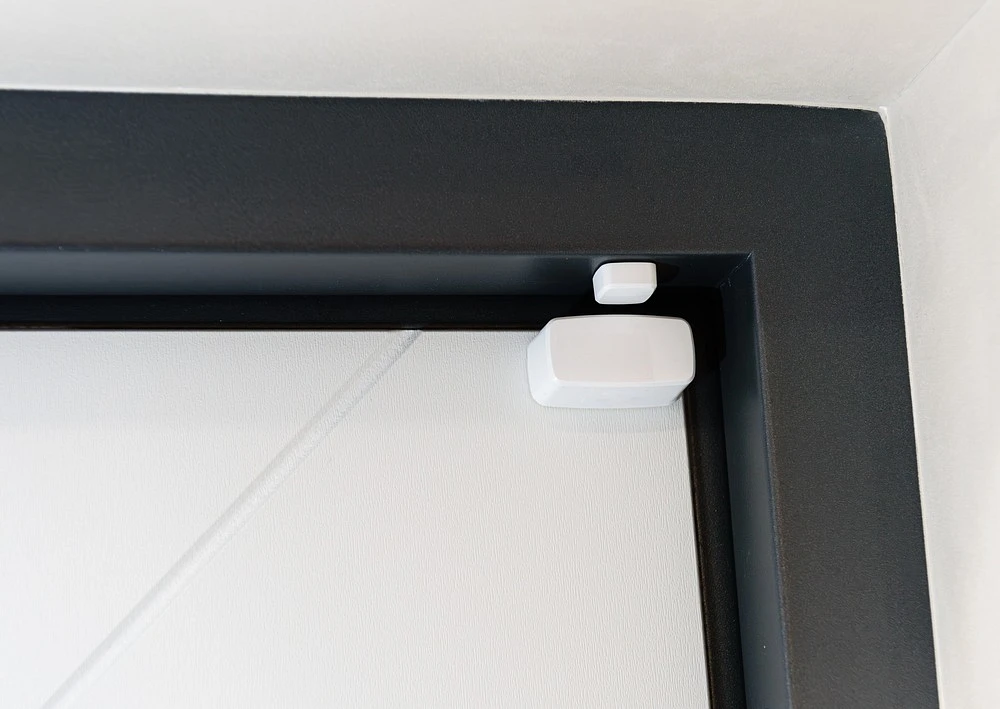
Smart placement makes average sensors work like premium ones. Here's where to place security sensors for optimal coverage:
Contact Sensors:
- Every ground-floor door and window
- Basement access points
- Garage doors (both entry and vehicle doors)
- Skip upper-floor windows unless there's easy roof access
Motion Sensors:
- Main hallways that connect rooms
- Stairwell landing (catches movement between floors)
- Corner placement gives 120-degree coverage
- Mount 6-7 feet high for best detection
- Never point them at heating vents or direct sunlight
Environmental Sensors:
- Under every sink
- Next to water heaters
- Basement floor corners
- Near washing machines and dishwashers
Getting Started: Your Quick Setup Guide
Setting up a DIY home security system takes less time than watching a movie. Follow these steps:
- Choose your ecosystem – Decide between Alexa, Google Home, Apple HomeKit, or a dedicated hub like SmartThings
- Unbox and activate – Pull the battery tab to wake up the sensor
- Enter pairing mode – Open your app and look for "Add Device" or similar
- Bring sensor close to hub – Most pair within 30 seconds
- Name it clearly – Use specific names like "Front Door" instead of generic "Sensor 1"
- Test it immediately – Open the door, wave at the motion sensor, simulate the trigger
Pro tip: Set up sensors one at a time. Naming them correctly from the start prevents confusion later.
Smart Automations: Making Your Home Proactive
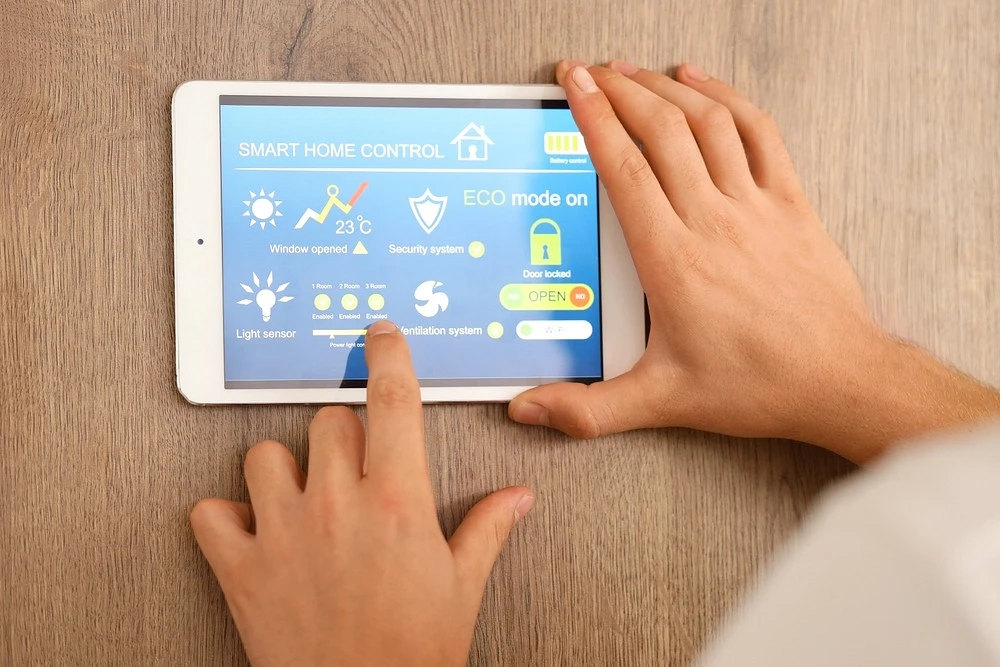
Here's where smart sensor automation transforms basic sensors into an intelligent security system. Static alerts are okay. Automation is powerful.
-
Nighttime Entry Detection:
"If garage door opens after 10 PM, then turn on driveway lights + send phone notification." You'll know immediately if someone enters when they shouldn't.
-
Away Mode Response:
"If motion detected while system is Armed, then turn on all lights + start camera recording + sound alarm." Makes intruders think someone's home and captures evidence simultaneously.
- Morning Routine:
"If bedroom door opens between 6-8 AM, then disable security system + start coffee maker." Security that adapts to your schedule beats manual arming every time.
Link sensors together for compound responses. The more they interact, the smarter your system becomes.
FAQ
Can smart sensors work without a hub?
Some sensors connect directly to WiFi. Most need a central hub. Hubs improve reliability and battery life since sensors use low-energy protocols like Zigbee or Z-Wave, not constant WiFi connections.
How long do the batteries typically last?
Most quality sensors run 12-24 months on a single battery. Frequently-triggered sensors (like main door contacts) drain faster than rarely-used ones. You'll get low-battery warnings weeks before they die.
Are these systems easy for a beginner to install?
If you can stick something to a wall and tap buttons on your phone, you can install smart home security sensors. Most people complete a full home setup in under two hours.
Do smart sensors trigger false alarms often?
Quality sensors with proper placement rarely false alarm. Common causes include pets triggering motion sensors, loose contact sensor adhesive, or placing sensors near heat sources. Modern systems let you adjust sensitivity to eliminate most false positives.