









TL;DR
These five tools tackle the most annoying parts of working from home - wrist pain, cable chaos, video call disasters, and that constant urge to nap at your desk. Here's what we're covering:
- Logitech MX Vertical - An ergonomic mouse that stops your wrist from dying
- Zens 4-in-1 - A wireless charging station that murders cable clutter
- Wyze Headphones - Budget noise cancelling headphones for work that actually work
- Anker PowerConf C200 - A 2K webcam that makes you look human
- Moft Converter - A portable standing desk converter for when sitting becomes torture
Why Your Home Office Needs an Upgrade
Remember when we thought remote work was temporary? Yeah, about that...
Hybrid and full-time WFH arrangements aren't going anywhere. Yet most people are still using the same setup from March 2020. A basic desk. Standard peripherals. Built-in laptop camera that makes you look like a witness protection candidate.
This matters more than you think. Poor ergonomics lead to real injuries. Constant distractions tank productivity. Looking unprofessional on calls? That impacts how clients and colleagues perceive you.
Upgrading your WFH essentials isn't about chasing trends. It's about your health, focus, and not wanting to throw your computer out the window by 2 PM.
Logitech MX Vertical Ergonomic Mouse
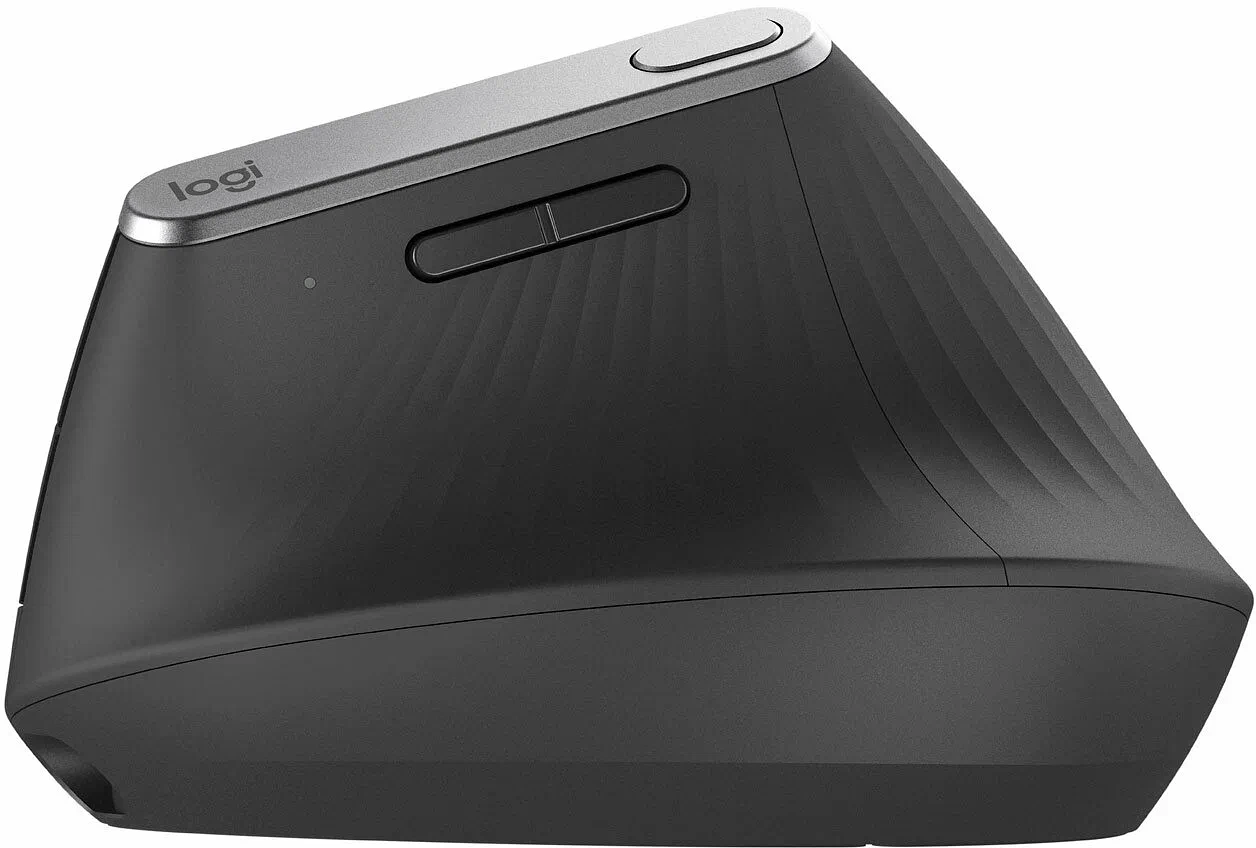
Standard mice force your wrist into this twisted position all day. Like a permanent low-grade torture session. After a few months, you've got pain shooting up your forearm and a standing appointment with RSI.
The Logitech MX Vertical looks weird - like a shark fin mated with a shell - but that 57-degree angle is actually genius. It positions your hand in a natural handshake grip instead of palm-down.
Key specs:
- Wireless connectivity (Bluetooth or USB receiver)
- Works with Windows and macOS
- Programmable buttons for shortcuts
- Rechargeable battery
Users report a short adjustment period. Feels abnormal for maybe 3-4 days, then suddenly it's second nature. The reduction in forearm and wrist strain is immediately noticeable. Your muscles aren't fighting gravity anymore.
Who needs this: Designers, developers, writers - anyone doing serious mouse work daily.
Zens 4-in-1 Wireless Charging Station
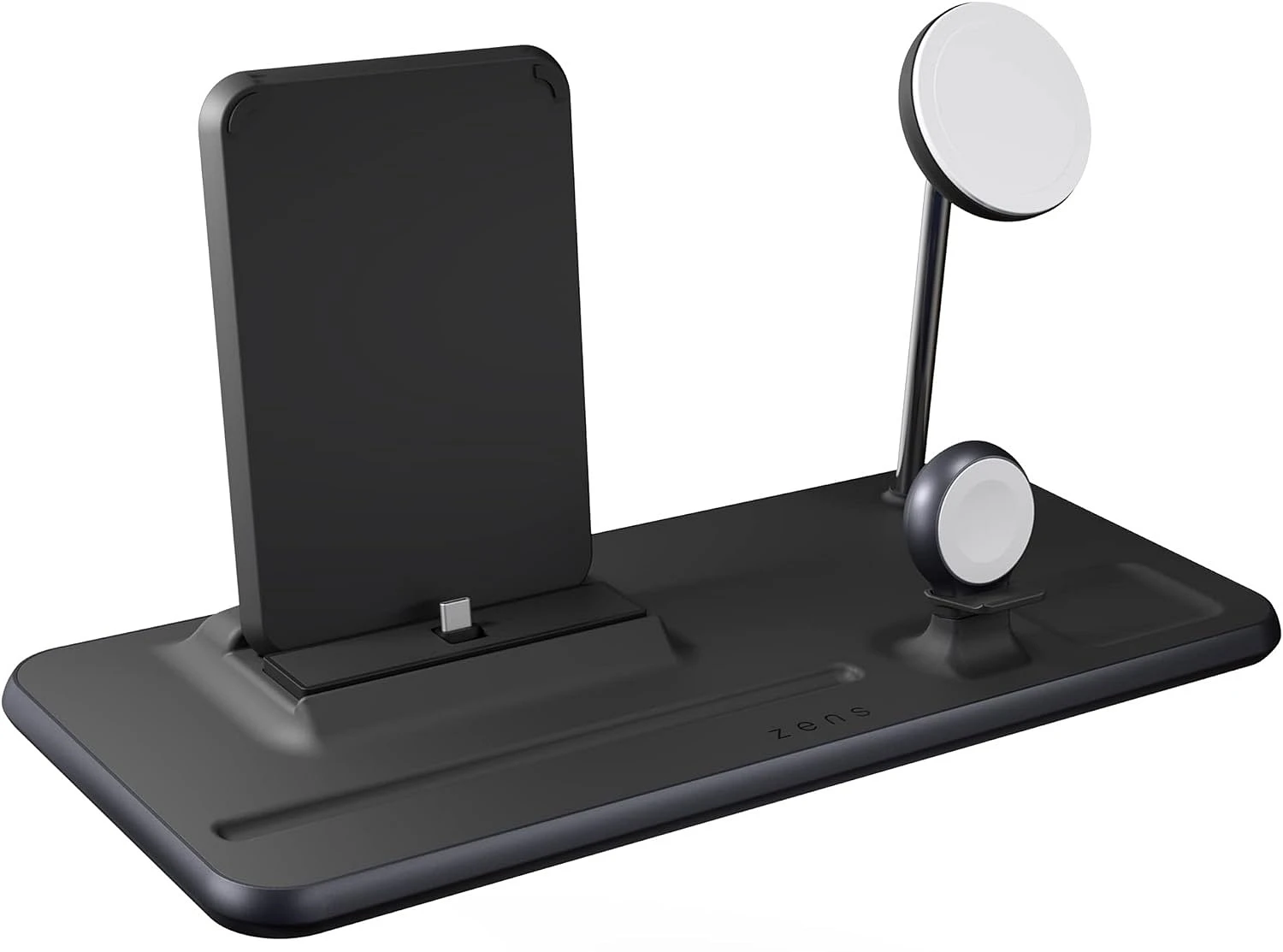
Your desk probably looks like a cable factory exploded. One cord for your phone. Another for your watch. Earbuds need their own cable. Your desk has more tentacles than an octopus convention.
The Zens station handles four devices simultaneously from one base. Phone, earbuds, smartwatch, plus one extra spot. Just drop your gear on the pad and walk away.
Beyond just charging, it creates a ritual. End of workday? Devices go on the station. Everything's topped up for tomorrow's meetings. No more frantic scrambling for cables when your phone dies mid-call.
Benefits:
- Massively cleaner desk aesthetic
- All devices ready every morning
- Works with most Qi-enabled phones (iPhone, Samsung, etc.)
- Minimalist look that doesn't scream "tech hoarder"
Who needs this: Anyone juggling multiple devices, minimalists, people who lose cables like it's a competitive sport.
Wyze Noise-Cancelling Headphones
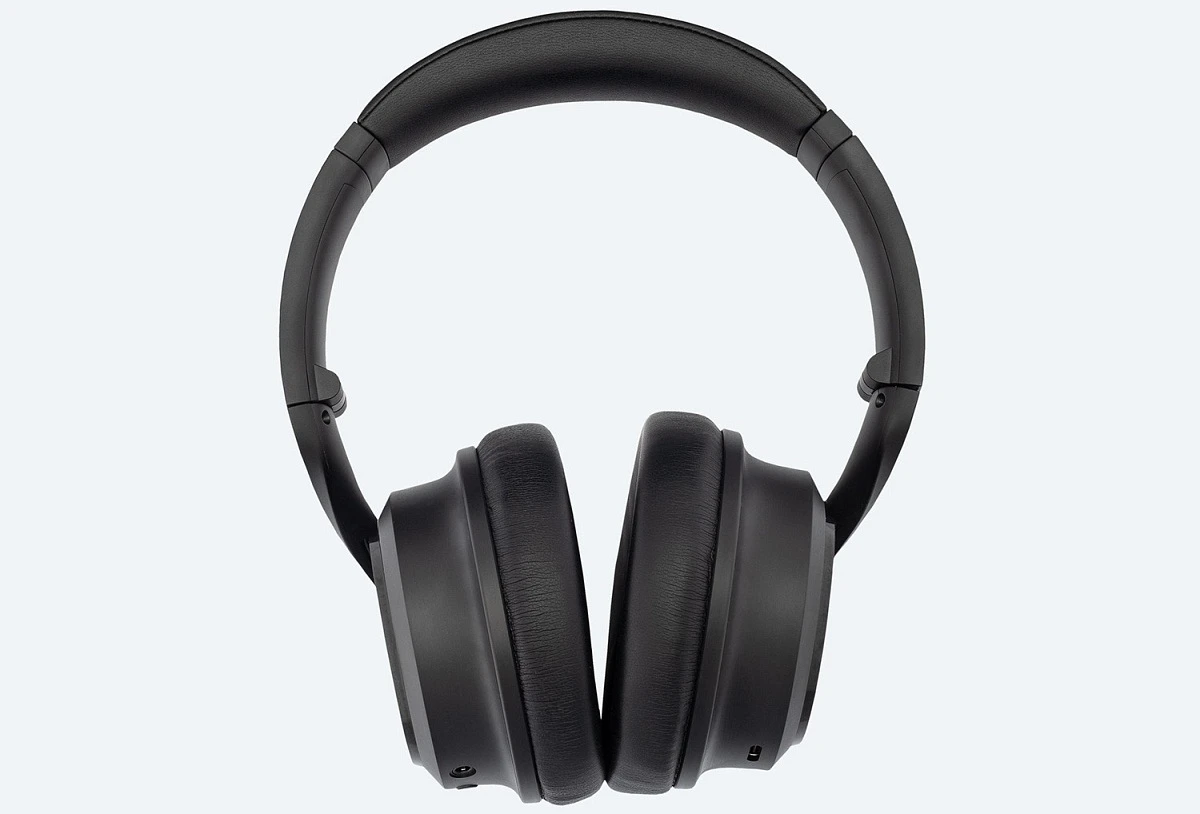
Working from home means your neighbor decides 10 AM is perfect for practicing drums. Or your roommate's on a call that sounds like a hostage negotiation. Or construction workers outside are recreating the Big Bang.
Wyze offers active noise cancellation for about $100 - roughly what you'd pay for decent regular headphones. They're not beating Sony or Bose in pure audio quality, but the ANC performance? Shockingly good.
Specs:
- Over-ear design with soft cushions
- Active noise cancellation blocks ambient noise
- Includes hard travel case
- Around $100 price point
These excel at what matters most: blocking distractions so you can actually concentrate. Perfect for drowning out household chaos without requiring a bank loan.
Who needs this: Anyone in a noisy environment, parents working while kids are home, people who need deep focus time.
Anker PowerConf C200 Webcam
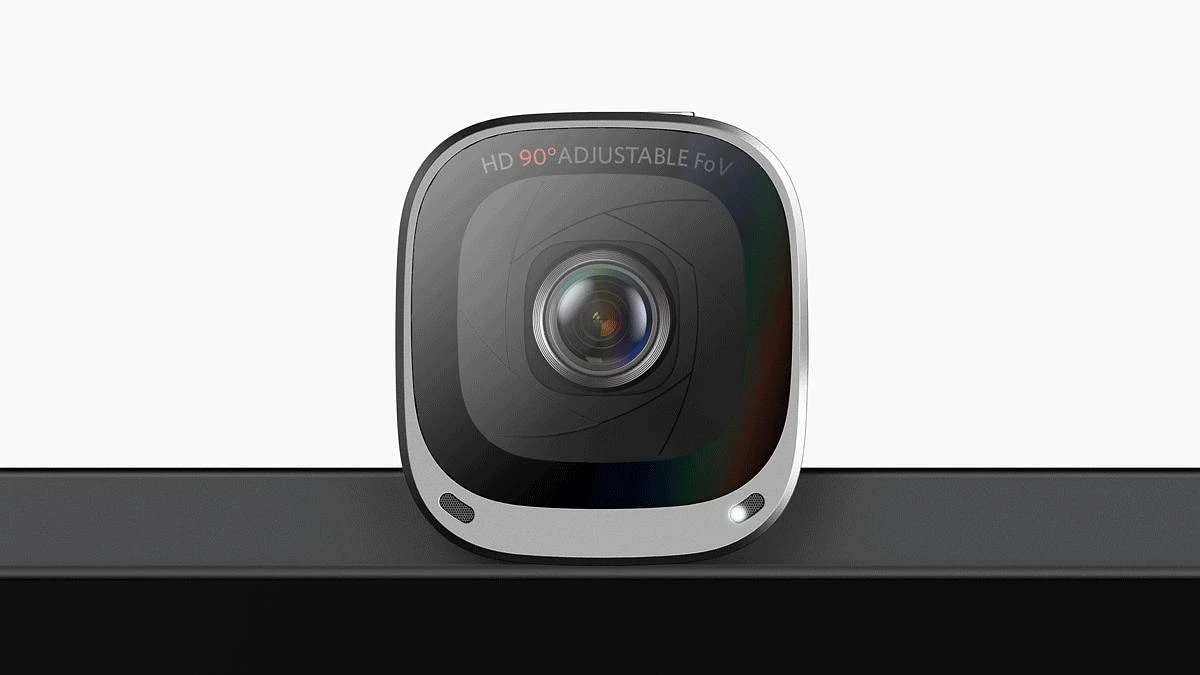
Built-in laptop cameras are garbage. They make you look like you're calling in from a cave during a power outage. Grainy, dark, unflattering angles - basically designed to make everyone look their worst.
The Anker C200 costs about $60 and delivers professional-looking video. 2K resolution means people can actually see your facial expressions. Autofocus keeps you sharp even when you lean back. Adjustable field of view lets you frame the shot properly.
This matters for first impressions, client meetings, and looking like you have your life together (even when you definitely don't).
Key features:
- 2K resolution for crisp image
- Autofocus adjusts automatically
- Multiple field of view options
- Plug-and-play setup
Who needs this: Anyone who's on video calls regularly, freelancers doing client meetings, anyone who's tired of looking like a blurry ghost.
Moft Sit-Stand Desk Converter
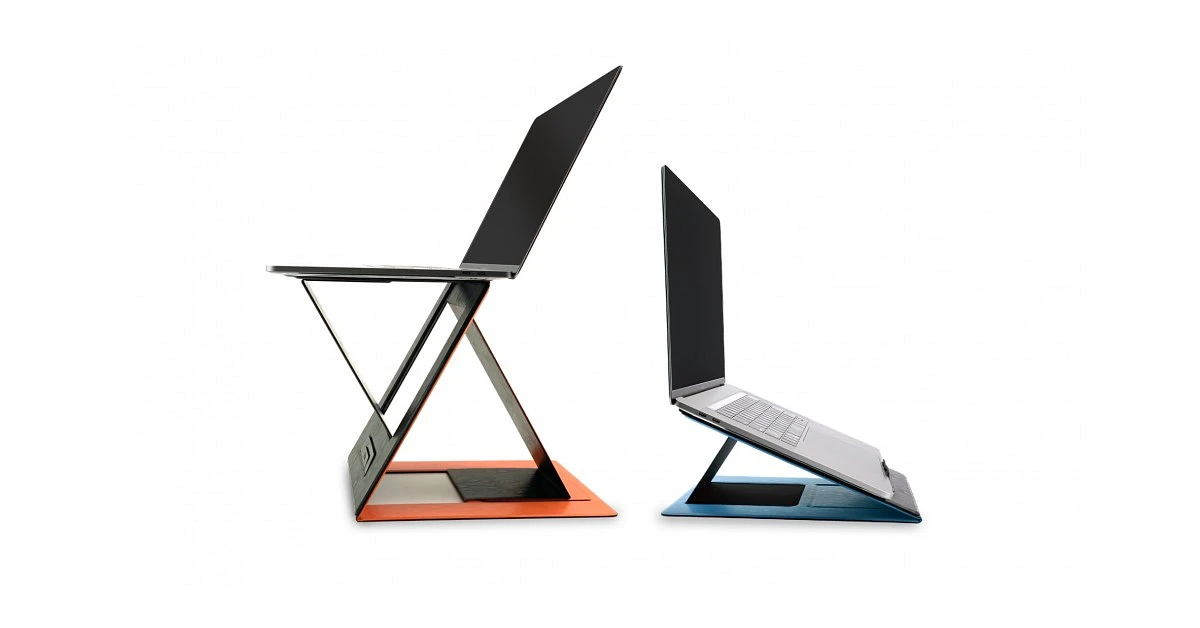
Sitting all day wrecks your back, kills circulation, and generally makes you feel like a sentient bag of potatoes. But a full standing desk costs serious money and requires commitment.
The Moft converter splits the difference. Lightweight, portable, adjustable platform that transforms any desk into a sit-stand situation. It fits in a backpack, making it perfect for hybrid workers.
Start with 15-20 minute standing sessions. Gradually increase as your legs adapt. You're not replacing sitting - you're adding movement options throughout your day.
Features:
- Portable enough to take between home and office
- Stable platform despite lightweight design
- Easy height adjustment
- Won't replace your entire desk
Who needs this: Hybrid workers, apartment dwellers with limited space, anyone wanting to test standing desks before buying a full unit.
FAQ
How long does it take to get used to an ergonomic mouse like the Logitech MX Vertical?
Most users adapt within 5-7 days. First few days feel weird - like writing with your non-dominant hand. But your muscles quickly remember this is actually how hands naturally work. After a week, regular mice feel wrong.
Can a wireless charger like the Zens station charge through a phone case?
Most thin, non-metallic cases work fine. Thick cases (over 3mm) or anything with metal plates will interfere. You'll need to remove those. Silicone and standard plastic cases? No problem.
Is a standing desk converter sturdy enough for a heavy monitor?
The sturdy claim for a converter hinges entirely on its design specs. Always verify the weight limits; they're non-negotiable. Models such as the Moft are engineered for portables. They'll handle maybe 20 pounds, fine for a standard monitor. But you feel that wobble? That's the design telling you it's at capacity.
For a heavy monitor, especially a gaming rig, you're past the accessory zone. The mechanics aren't built for that mass long-term. Even if it barely holds, the strain compromises stability. Dedicated standing desks use heavier-duty materials and a full-frame structure. They're integrated, not an add-on.
Are budget noise-cancelling headphones as good as premium ones?
Premium noise-cancelling headphones and their budget cousins tackle the same core job, but they’re built for different listeners. Brands like Sony’s WH-1000XM5 deliver pristine, nuanced audio and their ANC is marginally more refined. However, options such as Wyze absolutely crush the fundamental brief: killing ambient racket so you can focus. For a fraction of the price, you get that essential silence.
So, are they as good? It hinges on your "why." If you need noise cancelling headphones mainly to drown out office chatter or engine roar, the budget models provide stellar, no-fuss value. You’re paying for the function, not the fidelity. Choose the tool for the actual job.