









TL;DR
Can't read the whole thing? Here's your cheat sheet:
|
Your Primary Use |
Recommended Tech |
Sweet Spot Resolution |
Refresh Rate |
|
Competitive Gaming |
Mini-LED or OLED |
1440p |
240Hz+ |
|
Content Creation |
IPS or OLED |
4K or 5K2K ultrawide |
60-120Hz |
|
Office Work |
IPS |
1440p or 4K |
75-120Hz |
|
Media Consumption |
VA or OLED |
4K |
120Hz |
|
Budget-Conscious |
IPS |
1080p or 1440p |
144Hz |
Introduction
Your monitor is your portal to everything digital. It's where you slay opponents, color-grade videos, or stare at spreadsheets for eight hours straight. In 2026, display tech has exploded with options that were sci-fi fantasies just three years ago. OLED panels have conquered burn-in fears, MicroLED is actually hitting consumer shelves, and refresh rates that would've cost you a kidney in 2023 are now standard.
But more options mean more confusion. Should you grab that OLED monitor vs Mini-LED beast? Is 1080p dead? Does your desk setup even need 360Hz? This monitor buying guide 2026 will cut through the noise.
Pro tip: Before you drop cash on that dream monitor, check Catchers for exclusive discount codes on tech retailers. Why pay full price when you can save 10-20% on your next display upgrade?
OLED, Mini-LED, and The Rise of MicroLED
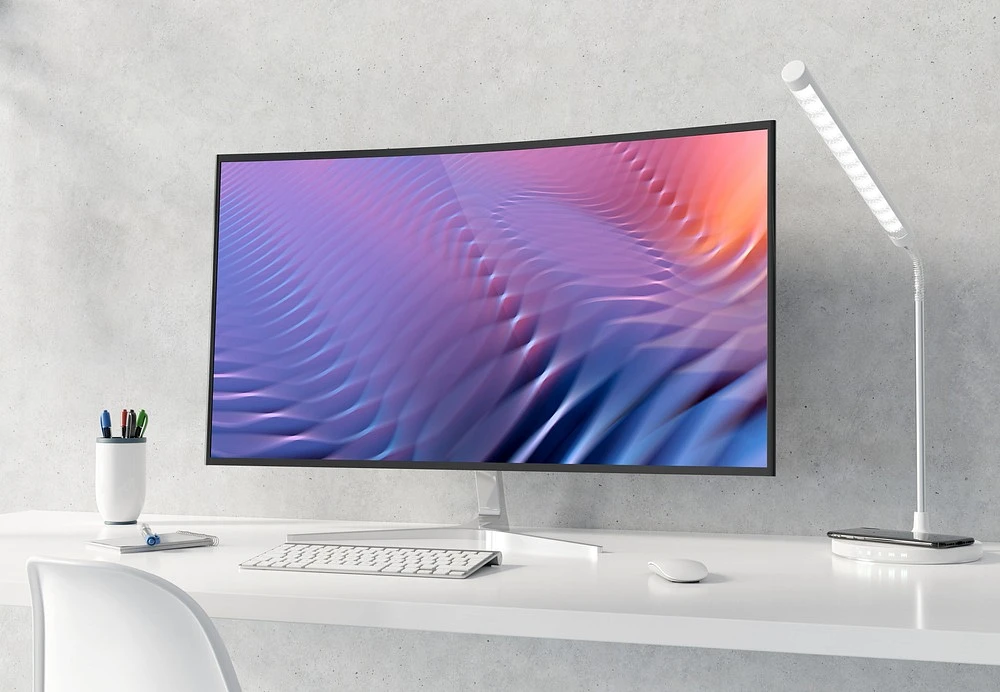
Panel tech is where magic happens. Here's what's actually worth your money in 2026.
IPS
For monitor reliability, IPS panels still dominate. They nail color accuracy and wide views without crushing your budget. Ideal for designers, programmers - anyone prioritizing consistency. The catch? Contrast ratios lag behind newer screens; blacks hover near charcoal, not true depth.
Obsolete? Hardly. When searching for the best monitor for work 2026, IPS offers proven performance. You trade perfect blacks for stability and value - a pragmatic choice.
VA
VA panels punch above their weight in one area: contrast. They make blacks actually black, which rocks for movies and single-player games with moody lighting. But response times lag behind IPS, and viewing angles can shift colors if you're not dead center.
Best used for: Media consumption, immersive gaming where you're sitting straight on.
OLED
OLED monitor burn-in was a major worry in 2022. People feared permanent image retention, like a ghost of the taskbar forever stuck on screen. That anxiety is now largely gone. By 2026, panel durability and software safeguards have gotten much better. Manufacturers rely on sophisticated pixel-shifting algorithms that run continuously. Those screen materials simply last longer now. Warranties often explicitly cover burn-in, too. It means a modern visuals setup is truly ready for daily work and play.
When researching a monitor for 2026, prioritize OLED if your budget allows. Its advantages are undeniably strong. You get perfect blacks and near-infinite contrast. Pixel response is so fast it removes motion blur entirely. HDR performance is simply jaw-dropping.
One key habit is non-negotiable: use dark mode interfaces. This simple tweak helps ensure your panel lasts longer.
Mini-LED
Mini-LED fundamentally upgrades standard LED backlights by massively increasing the number of dimming zones. This allows it to approach OLED-like contrast ratios. Where it dominates is raw brightness, hitting 1000-2000 nits and making most OLED screens seem dull in comparison. The technology still exhibits blooming - halos around bright objects - but recent hardware and algorithms have noticeably tightened up the control.
Choosing an OLED monitor vs Mini-LED comes down to environment and priority. For a bright room with windows, or for HDR content where peak highlight impact is crucial, Mini-LED is the pragmatic choice. OLED’s perfectionist contrast remains a dim-room luxury.
MicroLED
MicroLED is OLED's cooler cousin without the burn-in baggage. Each pixel is its own light source (like OLED), but it's inorganic, so no degradation over time. The catch? Price tags that could finance a decent used car.
In 2026, we're seeing the first sub-$3000 MicroLED panels at 27-32 inches. Not budget-friendly yet, but this MicroLED monitor buying guide prediction: by 2028, they'll be competing with high-end OLEDs on price.
Resolution & Screen Size
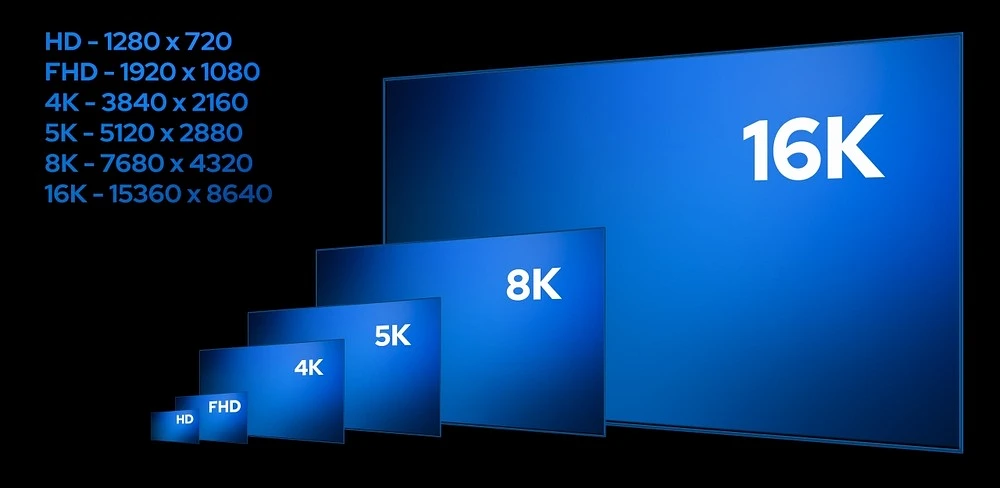
Focusing solely on pixel count misses the point. You need to consider density - how tightly those pixels are packed - and the real-world GPU strain of cranking them out. Ultimately, it boils down to what your eyeballs actually resolve from where you sit. A higher number doesn't automatically mean a better experience.
Full HD (1080p)
Full HD (1080p) is adequate, but only situationally. For gaming on sub-24-inch monitors, it's a smart pick - pushes higher frames on modest GPUs. The trade-off? Productivity suffers. Paragraphs and code lose crispness; text renders with a faint fuzz. That pixel density strains eyes over long sessions. It’s a functional resolution, not a sharp one. Your eyes really do deserve better.
Quad HD (1440p)
For gaming, Quad HD (1440p) remains the practical sweet spot. A 27-inch screen paired with this resolution delivers razor-sharp text without overwhelming your graphics card. The real advantage? You can consistently hit high frame rates - think 144 fps or more - without needing top-tier hardware. In 2026, this balance of clarity and performance makes it the definitive choice for most setups.
Ultra HD 4K (2160p)
Ultra HD 4K (2160p) is now the baseline for pro users. Photo and video editors rely on that pixel density for precise work, and writers avoid eye strain with razor-sharp text. For gaming, native Ultra HD 4K (2160p) demands seriously beefy hardware. However, upscaling like DLSS 4 or FSR 4 is a game-changer, letting powerful - not just top-tier - GPUs drive these displays smoothly.
5K2K & UltraWide
The 5K2K ultrawide monitors are a beast. That 5120x2160 resolution isn’t just a number - it’s a physical takeover of your desk. You get this sprawling, panoramic view on a 34” or 40” screen. The real productivity win isn't just pixel count; it’s fitting multiple full-scale windows cleanly, no bezels in sight. It kills the need for a janky multi-display setup. For gaming that supports it, the immersion hits differently. Your peripheral vision gets swallowed, feels natural.
The trade-offs are real, though. Plenty of older or lazily ported games simply freak out at a 21:9 or 32:9 view. You get stretched visuals, or HUD elements jammed uselessly into the far corners. Even movies can be a letdown - since most are already 16:9 or wider, you're not eliminating black bars, just shifting them. The hardware is ahead of the curve, but the software hasn't fully caught up. Your experience becomes fragmented: flawless in modern titles, glitchy and wonky in others. That ambition creates a split library on a single screen.
8K
Unless you're editing 8K video footage or have money to burn, skip it. Content is limited, hardware requirements are insane, and at typical viewing distances, your eyes can't tell the difference from 4K.
Refresh Rate & Response Time
High refresh rates aren't just for sweaty esports pros anymore. Even scrolling web pages at 120Hz feels smoother than 60Hz.
60Hz to 120Hz
60Hz feels choppy in 2026. Aim for at least 120Hz for desktop use. Your cursor will glide, scrolling becomes buttery, and casual gaming gets a massive upgrade.
144Hz to 240Hz
This range covers 90% of gamers perfectly. 144Hz is smooth enough that most people can't perceive much difference going higher. 240Hz gives competitive players that edge in fast-paced shooters.
360Hz and Beyond (480Hz)
If you're climbing ranked ladders in Valorant or CS2, 360Hz might matter. Beyond that? Diminishing returns hit hard. The best monitor for gaming 2026 at $600-800 is likely a 240Hz OLED, not a 480Hz TN panel.
Response Time (GTG & MPRT)
Manufacturers love throwing "1ms" on boxes. Gray-to-Gray (GTG) measures pixel transition speed; MPRT measures perceived motion blur. Look for actual reviews testing response times, not spec sheets. OLED monitors inherently win here with near-instantaneous pixel response.
Essential Features & Connectivity for a 2026 Setup
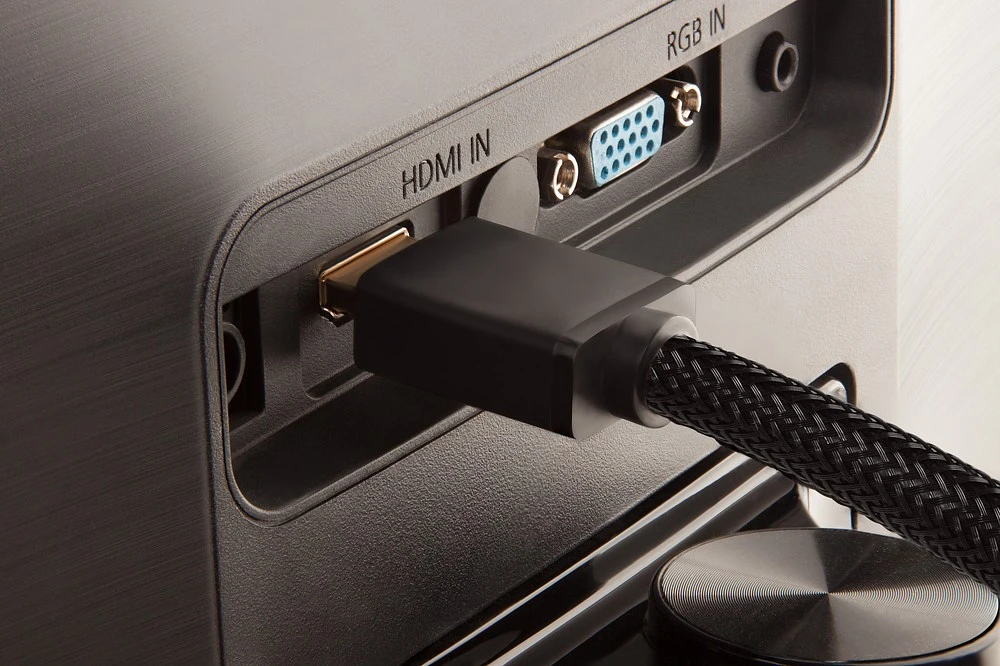
Modern monitors are connectivity hubs. Here's what matters.
The USB-C Hub Revolution
A single USB-C cable that powers your laptop, transmits 4K video, and connects peripherals? That's mandatory in 2026. Look for 90W+ power delivery if you're using a laptop.
HDMI 2.1 & DisplayPort 2.1
HDMI 2.1 unlocks 4K at 120Hz+ (critical for PS5/Xbox Series X). DisplayPort 2.1 pushes even higher bandwidths for 4K 240Hz or 8K gaming. Older standards bottleneck your hardware.
Adaptive Sync
Screen tearing sucks. Both technologies eliminate it by syncing monitor refresh to GPU output. G-Sync Compatible (works with Nvidia and AMD GPUs) and FreeSync Premium Pro (AMD-focused, but often Nvidia-compatible) are basically interchangeable now. Just make sure your monitor has one.
Built-in KVM Switches & Productivity Enhancers
Built-in KVM Switches are a game-changer for dual-system desks. If you're juggling a work laptop and a gaming PC, these tools eliminate the clutter. You operate both machines with a single keyboard and mouse setup - no constant plug-swapping. It streamlines your physical space and mental load.
Some monitors take it further with integrated Picture-by-Picture modes. This isn't just about convenience; it's raw efficiency. You can view both systems side-by-side in real time, dragging files across screens or monitoring processes on each. The setup consolidates your workflow into just one station, merging two separate workspaces into a single, coherent command center.
Eye Care 3.0
Flicker-free backlighting and blue light filters are table stakes. 2026 models add AI that adjusts brightness based on ambient light and content type. Your eyes will thank you after 10-hour sessions.
The Ergonomics & Form Factor Decision
Monitor stands matter more than you think.
Curved vs. Flat
Curved monitors wrap around your field of vision - great for immersive gaming and ultrawide setups. Flat monitors maintain straight lines, better for design work where distortion is unacceptable.
The Importance of a Great Stand
A monitor that only tilts is a crime in 2026. Get height adjustment, swivel, and pivot capabilities. Your neck and back will last longer.
The Benefits of a Portrait Secondary Monitor
Code, documents, or social media feeds look way better in portrait mode on a secondary display. Make sure your monitor rotates 90 degrees.
VESA Mounts
VESA mount compatibility (usually 100x100mm or 75x75mm) lets you use monitor arms, freeing up precious desk space and improving ergonomics.
Future-Proofing Your Investment
Choosing a Monitor That Will Last 5+ Years
Buy more bandwidth and Hz than you need today. DisplayPort 2.1, USB-C with 90W+ power, and 120Hz minimum ensure relevance through 2030.
The Software & Smart Features Frontier
Some monitors now have built-in productivity apps, streaming capabilities via Google TV, and firmware updates. Not essential, but nice-to-haves if you're spending $800+.
FAQ
Is an OLED monitor good for office work in 2026, or should I worry about burn-in?
Wondering if an OLED monitor works for office use in 2026, or if burn-in’s still a worry?
Current OLEDs defend against this aggressively. They use pixel-shifting tech that moves images subtly, logo dimming that detects and reduces static bright areas, and aggressive screen savers. These make burn-in rare for most.
So, for general office work - browsers, documents, varied windows - you’re fine. The tech’s so good now that the risk is massively overblown for typical use.
What is the best budget gaming monitor for 2026?
For a solid budget gaming monitor in 2026, the consensus still points to a 1440p IPS panel. Why? It’s the performance-per-dollar sweet spot. Target 144Hz refresh rate and FreeSync support - non-negotiables for smooth gameplay without tearing.
Reliable brands include AOC, ViewSonic, or Gigabyte. They consistently deliver robust panels and decent HDR performance in that $200-300 range. Always, and this is crucial, scan Catchers right before checkout. Their discount codes are frequent and can slash another 10-15% off, making an already good deal exceptional.
For graphic design, is 4K mandatory, or is a high-quality 1440p monitor sufficient?
The best monitor for graphic design 2026 is still 4K, no debate. It delivers that pixel-level precision modern UI and print work demands. But here’s the real talk: a monitor's factory calibration and color accuracy - think Delta E <2 and wide gamut - are far more critical than raw pixel count. A sharp 1440p IPS panel with 99% sRGB coverage is a legitimate minimum viable option. It gets you most of the way there for less cash, especially if your primary output is digital. For final color-critical work, though, 4K's finer detail is the professional standard.