









TL;DR: Quick Summary of Our Top VPN Router Picks
-
The ExpressVPN Aircove hits $189.90. It wins for simplicity—the VPN’s baked right in. You get Wi-Fi 6 support and coverage for most apartments (around 1,600 sq ft).
-
Choose the Asus RT-AX86U ($288.99) for raw speed. It pushes up to 5,700 Mbps, easily handling 4K streams, gaming, and multiple users without choking.
-
Netgear’s Nighthawk X10 serves advanced setups. It connects everything: seven wired ports plus coverage stretching roughly 2,500 square feet.
-
Benefits? Secure every device—no limits. Bypass regional content locks. Skip configuring each phone or laptop. It even blankets smart home gadgets with protection.
-
Pre-configured routers go live fast. VPN-ready models need 15–30 minutes; then you’re set.
-
Thanks to modern hardware acceleration, speed loss is minimal. Expect to maintain 80–90% of your base internet speed—hardly a noticeable hit.
Why You Need a VPN Router for Whole-Home Protection
Managing VPN software on every single device is fiddly. You’re always switching it on and off, hitting device limitations, and wrestling with incompatible gadgets. A VPN router wipes out these frustrations completely.
Smart home devices often create the biggest security risk. Think about your smart TV, security cameras, or voice assistants. They scoop up tons of personal data, but rarely have real security built-in—and they can’t run standard VPN apps. Hackers love these gaping holes, using them as backdoors into your entire network.
The fix? Apply protection at the source. A VPN router secures all traffic right from your network’s origin. It builds a secure tunnel at the hardware level, so data is guarded before it ever reaches the open internet. The upside is automatic, blanket encryption for every connected thing—phones, smart TVs, even that quirky smart plug—with zero individual setup.
This setup also provides a hidden IP address and assigns your entire network a new virtual location. The practical effect? Your internet provider logs encrypted gibberish. Governments or snoops face a hardened barrier. It stops ad networks from profiling your fridge and lets you bypass regional content locks.
Geographic restrictions disappear completely. Stream content from any country on all your devices simultaneously. Gaming consoles access different regional stores, while smart TVs unlock international streaming libraries without individual app configurations.
Network-wide protection scales effortlessly. Add new devices without additional VPN subscriptions or complex setup procedures. Guests automatically connect through your secure tunnel when they join your WiFi network.
The 3 Best VPN Routers for Complete Home Network Protection
1. ExpressVPN Aircove: Best Pre-Configured
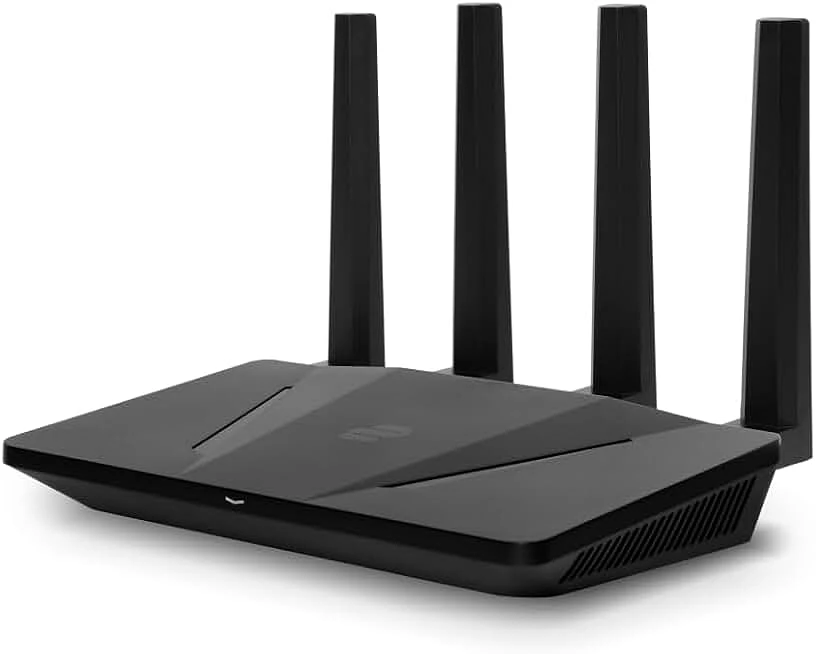
The only router that arrives completely ready to use with ExpressVPN service built-in. No technical setup required - just plug in and connect to secure your entire home network instantly.
Key Specifications:
-
Price: $189.90
-
VPN Service: ExpressVPN pre-installed (included)
-
Wi-Fi Standard: Wi-Fi 6 (802.11ax)
-
Maximum Speed: 1,200 Mbps
-
Coverage Area: 1,600 square feet
-
Device Capacity: Up to 128 simultaneous connections
-
Ethernet Ports: 4 x Gigabit LAN
-
USB Ports: 1 x USB 3.0
-
Special Features: Device Groups, Threat Manager, Parental Controls
-
Setup Time: Under 10 minutes
2. Asus RT-AX86U: Best High-Performance
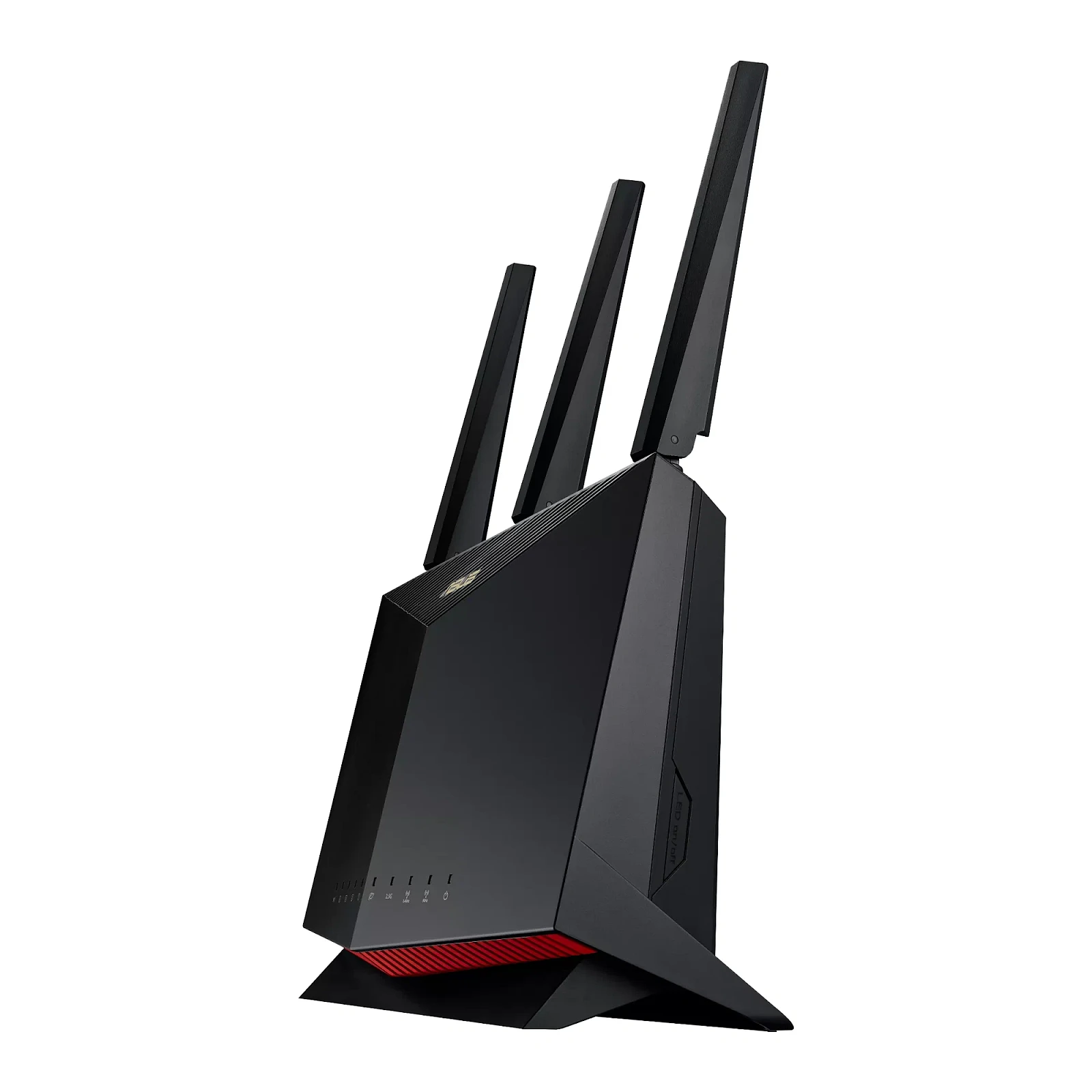
Got serious need for speed and flexibility? This router is built for you. It handles any VPN you throw at it, no sweat, and still delivers top-tier performance for gaming and streaming.
Key Specifications:
-
Price: $288.99
-
VPN Service: Compatible with all major providers (manual setup)
-
Wi-Fi Standard: Wi-Fi 6 (802.11ax)
-
Maximum Speed: Up to 5,700 Mbps
-
Coverage Area: Large homes (exact area not specified)
-
Device Capacity: 100+ simultaneous connections
-
Ethernet Ports: 6 x Gigabit ports
-
USB Ports: 2 x USB (versions not specified)
-
Special Features: Mobile Game Mode, AiMesh compatible, AiProtection Pro
-
VPN Protocols: OpenVPN, WireGuard, PPTP
-
Setup Time: 15-30 minutes
3. Netgear Nighthawk X10: Best for Large Homes and Advanced Users
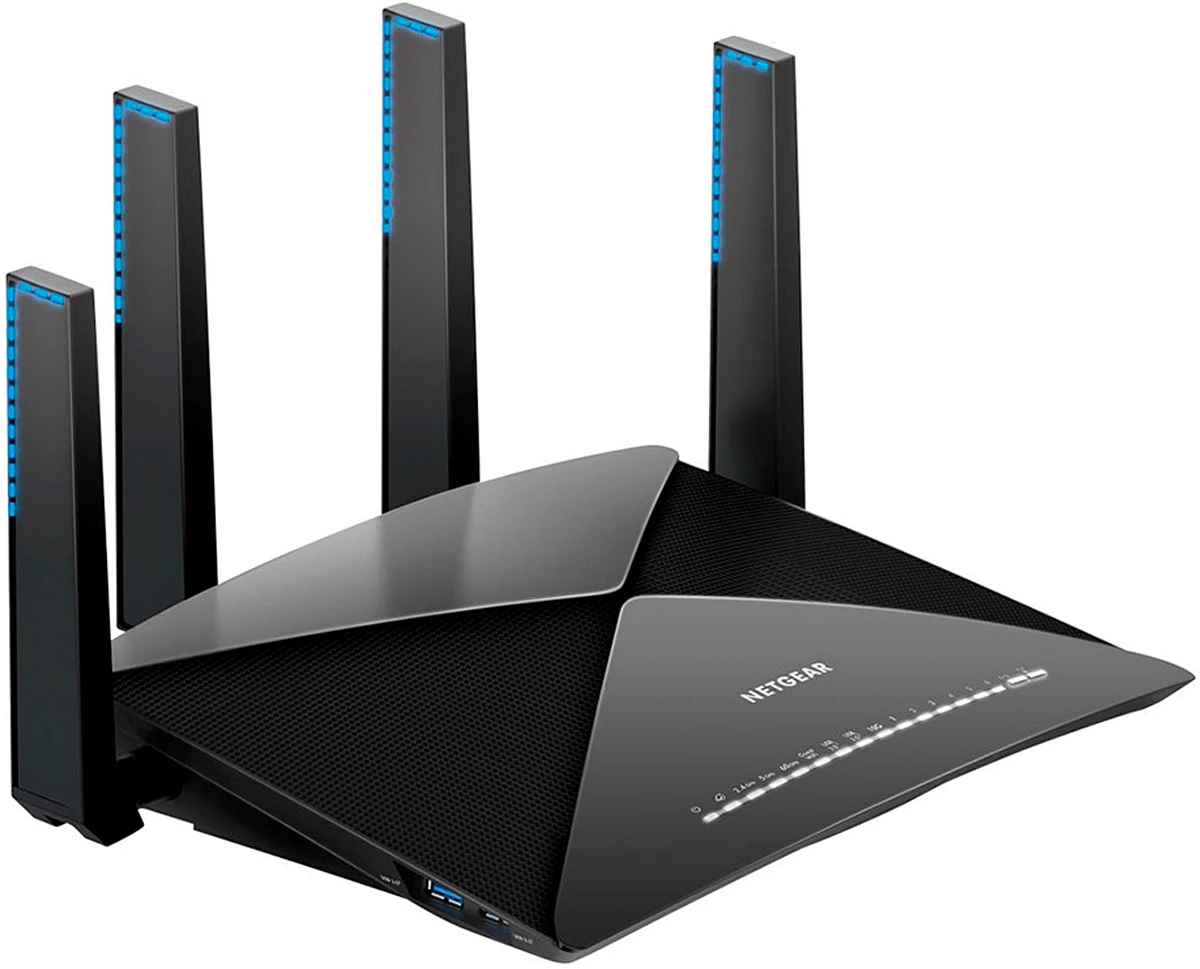
A perfect fit for tech fans running a house full of smart gadgets. It packs pro-level features and plenty of wired ports for a serious setup.
Key Specifications:
-
Price: Premium pricing tier
-
VPN Service: Compatible with all major providers (manual setup)
-
Wi-Fi Standard: Wi-Fi 5 (802.11ac)
-
Maximum Speed: Up to 4,600 Mbps
-
Coverage Area: 2,500 square feet
-
Device Capacity: 50+ simultaneous connections
-
Ethernet Ports: 7 x Gigabit LAN
-
USB Ports: Multiple USB connections
-
Special Features: VLAN support, Advanced QoS, Guest network isolation
-
VPN Protocols: OpenVPN, L2TP, PPTP
-
Target Users: Advanced users and network administrators
VPN Router Setup Guide: How to Get Protected in Minutes
Pre-configured routers like ExpressVPN Aircove require minimal setup. Connect power, follow the mobile app instructions, and create your WiFi network password. The entire process takes under 10 minutes.
VPN-ready routers need additional configuration steps:
-
Access router admin panel through web browser
-
Navigate to VPN client settings section
-
Enter VPN service credentials and server information
-
Select preferred VPN protocol (OpenVPN recommended)
-
Configure DNS settings to prevent leaks
-
Test connection stability and speed performance
-
Enable automatic reconnection features
Common setup challenges include DNS leak prevention and kill switch configuration. Ensure your router blocks all internet traffic when VPN connections drop unexpectedly. Test these safety features before relying on them for privacy protection.
Managing a router through its mobile app turns upkeep into something you can do from your couch. Manufacturers pack these apps with remote configuration tools, letting you tweak settings from anywhere. It's hands-on device management—see what's connected, prioritize bandwidth, or pause access with a tap. You also get real-time performance monitoring, spotting slowdowns before anyone complains.
Advanced VPN Router Features: What to Look Beyond Basics
Wondering how to route your traffic? Split tunneling does exactly that—letting you pick which apps or devices divert through a VPN, and which don’t. Ditch lag: keep gaming on your regular line for raw speed, while your streaming stays shielded through encrypted servers. This smart routing cuts unnecessary detours, so apps craving low latency get a direct path. You’re basically prioritizing: security where it matters, performance where you need it.
You can connect to multiple VPN locations at once. Different groups of devices use different servers. Access content from various countries without switching manually. Some advanced routers handle up to five connections simultaneously.
Bandwidth monitoring tracks data consumption per device, revealing network bottlenecks. For instance, a constantly updating cloud backup might be the hidden culprit slowing your video calls. The real value isn't just spotting the drain—it's enforcing policy. You can set limits on that backup service or a specific device, like a guest's phone, effectively taking too much bandwidth away from critical tasks. This shifts control from passive observation to active management, ensuring your router prioritizes what you actually need.
Parental controls work with VPN protection to keep family browsing safer. Block bad content, set screen time schedules, and keep an eye on activity—all while keeping your family’s privacy protected.
Guest network isolation creates a separate WiFi for visitors. It keeps your main network and private devices secure. Guests still get VPN protection but can’t access your personal devices.
VPN Router Performance: Speed and Security Considerations
Encryption usually slows down internet speeds. On modern routers, expect a 10-20% drop. Using a router with hardware-made-for-VPN processing helps a lot. It gives a much smaller performance hit than software options. A well-configured high-end router can keep speeds almost normal.
Where a VPN server sits matters more than your router's specs. For best speeds, pick a server close to you. A far-away server adds more delay and really cuts into your bandwidth.
Your choice of VPN protocol changes both speed and security. For most people, WireGuard is the best mix. OpenVPN works on more devices but isn't as fast. You should avoid PPTP; it isn't secure.
Even a fast VPN can drag when everyone's online. And that's true even with a good router. Some services set aside special servers just for streaming or gaming to help.
Keep router firmware updated. It boosts security and keeps performance steady. Turning on auto-updates is a smart move. Also, don’t forget your VPN app. These patches often include speed boosts and connect you to more stable servers.
FAQ
How does a VPN router protect my entire home network?
A VPN router adds encryption to all internet traffic right at the source. A VPN router encrypts your internet traffic right at the source. All devices on your WiFi get automatically routed through secure VPN servers. It's perfect for protecting gear like game consoles and smart TVs. A one simple setup for a blanket of security over your whole network.
Will using a VPN router slow down my internet connection?
Today's VPN routers use hardware acceleration. That means your speed loss is often minimal—maybe just 10 to 20 percent. Your actual speed comes down to a few factors. It depends on router power, your chosen VPN protocol, and server distance.
What's the difference between a pre-configured VPN router and a VPN-ready router?
Pre-configured routers are the plug-and-play option. The VPN software is installed and waiting; connect power and internet, and protection activates immediately. VPN-ready models, conversely, provide only the capability. You must install and configure the VPN client yourself. This demands more technical legwork, yet unlocks a critical advantage: total freedom in provider selection. The extra steps buy you choice, letting you prioritize specific servers, privacy policies, or pricing.
Do I need technical expertise to set up and maintain a VPN router?
VPN-ready routers take a bit more know-how at the start, but most brands provide clear guides. After that, upkeep is easy. Update the firmware occasionally or swap your VPN login info.
Can VPN routers bypass geo-restrictions on streaming platforms?
A VPN router handles the geo-unblocking for you—just plug it in. Every connected device, from your smart TV to that dusty game console in the closet, gets access. No more installing apps on each gadget.
Fair warning: streaming services are constantly cracking down on VPN IP addresses. Runs into a block? Your best move is to hop to a different server offered by your provider. It’s a quick fix that usually does the trick.