









TL;DR
Got a class in five minutes and need the quick version? Here's what you need to know:
- Best Windows Pick: Acer Aspire Go 15 ($300-400)
- Best Chrome OS: Acer Chromebook Plus 514 (under $500)
- Best Mac Option: Apple MacBook Air M1 ($599-699 on sale)
What Makes a Great Student Laptop?
Before getting into specific models, here's what really matters when shopping for a student laptop on a tight budget.
Battery life is bigger deal than most people realize. Lectures drag on. Libraries don't always have outlets near good study spots. A machine needs to last through a full day of classes without making you hunt for chargers like some caffeinated squirrel.
Build quality decides if a laptop ends up as a trusted tool or more e-waste. Consider its life: stuffed into bags, jostling with books. It survives dorm moves and coffee spills. A flimsy plastic chassis won’t cut it. You want materials and construction ready for daily use. This isn’t just about surviving drops. It’s about hinges that stay firm, seams that stay quiet, and a feel that doesn’t turn cheap over time. That difference separates a lasting device from a disappointing one.
Performance needs balance. You don’t need a gaming rig, but constant lag isn’t an option. Find a sweet spot: at least 8GB of RAM, a decent processor, and an SSD instead of old spinning drives.
Here's what students actually need:
- Processor: Intel i3 or AMD Ryzen 3 at minimum (or equivalent)
- RAM: 8GB is the baseline; 16GB if you can swing it
- Storage: 256GB SSD minimum (trust us, speed beats capacity here)
- Display: 1080p or better (your eyes will thank you)
- Ports: USB-C, regular USB, HDMI (you'll need these more than you think)
- Weight: Under 4 pounds keeps it portable
Software compatibility depends on your major. Engineering students might need Windows for specific programs. Art majors often prefer Macs. Business students can probably rock a Chromebook just fine.
Don't obsess over specs that don't matter. Touchscreens? Nice but not essential. 4K displays? Overkill for note-taking. RGB lighting? Cool for gaming, pointless for studying.
Focus on reliability and longevity instead. A cheap laptop for college that dies sophomore year isn't actually cheap.
Our Top 3 Budget Laptop Picks for Students
These three machines represent the best value in their respective categories, all coming in well under that magical $500-700 range.
1. Acer Aspire Go 15: Best Overall Budget Windows Laptop
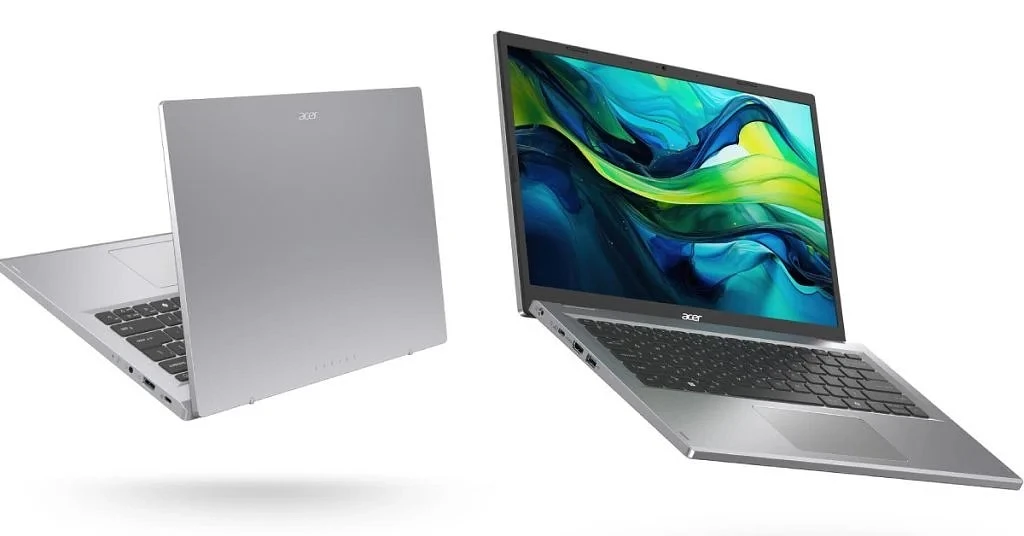
Price: $300-400 (frequently on sale)
Need a Windows machine on a budget? Here's your answer. This Aspire Go 15 gives you a proper Windows experience. It really punches above its price point.
What you're getting:
- Processor: Intel Core i3-N305 or AMD Ryzen 3 7320U (depending on configuration)
- RAM: 8GB-16GB (get the 16GB if budget allows)
- Storage: 256GB-512GB SSD
- Display: 15.6-inch Full HD (1920×1080) non-touch
- Battery: 9-12 hours real-world usage
- Weight: 3.74 pounds
The larger 15.6-inch screen gives you breathing room for multiple windows—great for research papers when you're bouncing between sources and your document. That 1080p webcam actually makes you look presentable during Zoom meetings, unlike those potato-quality cameras on older laptops under $500.
Windows 11 means full compatibility with whatever software your professors throw at you. Microsoft Office? Check. Specialized engineering programs? Usually fine. That obscure statistics software? Probably works.
Port situation is solid:
- USB-C with charging support
- USB-A ports for your old peripherals
- HDMI for presentations or second monitors
- Standard headphone jack
Some models include a backlit keyboard, which sounds minor until you're trying to study in a dimly lit dorm room at midnight. USB-C charging is clutch too—one less proprietary cable to lose.
2. Acer Chromebook Plus 514: Best Chromebook for Students
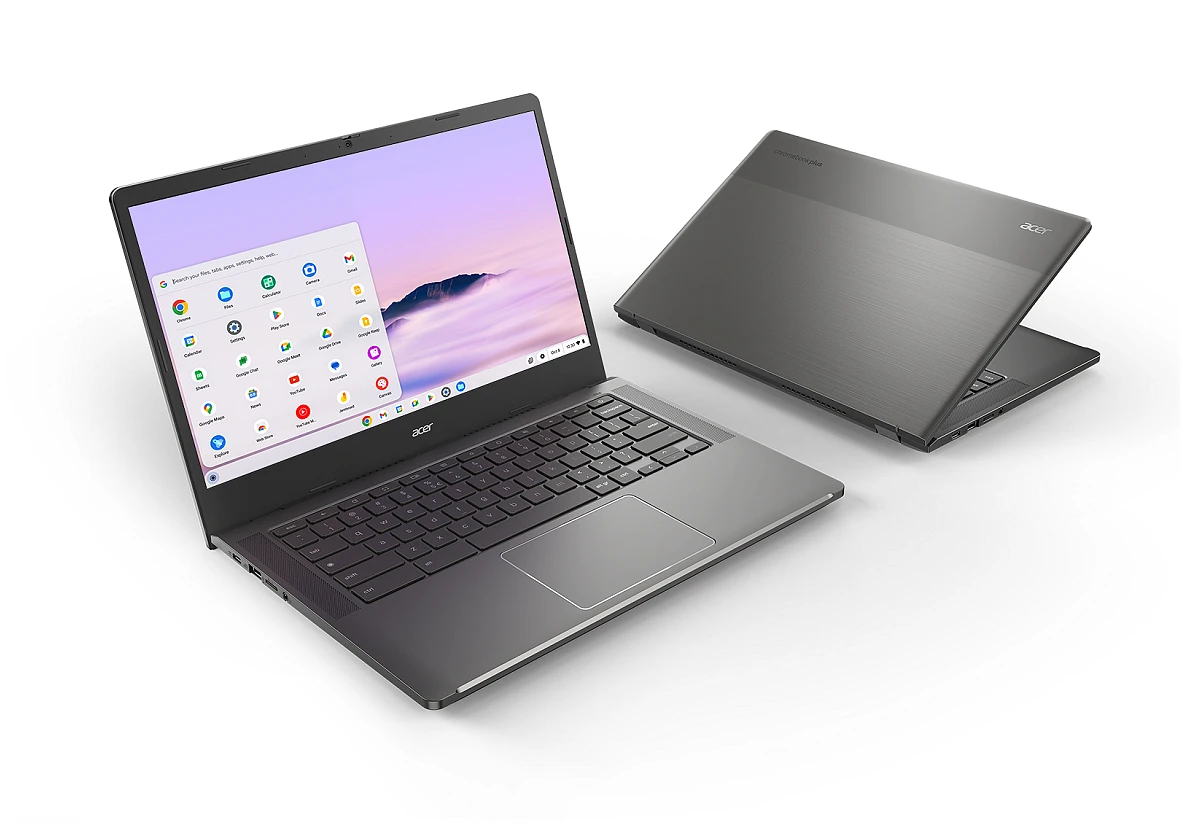
Price: Under $500
Chrome OS gets unfairly trashed, but hear us out. If your workflow lives online (Google Docs, web research, streaming), a Chromebook makes serious sense.
Specs breakdown:
- Processor: Intel Core 3 N355
- RAM: 8GB
- Storage: 512GB SSD (huge for a Chromebook)
- Display: 14-inch touchscreen (1920×1200)
- Battery: Up to 12 hours
- Weight: 3.09 pounds
That display is worth a look. A 14-inch touchscreen with 1920×1200 resolution (taller aspect ratio) fits more content vertically. Research papers and long articles become easier to read—no constant scrolling needed.
Chromebook Plus certification means:
- Faster performance standards than regular Chromebooks
- Minimum specs that actually work
- Features like video editing and photo enhancement built-in
512GB storage is bonkers for Chrome OS. Most Chromebooks cheap out with 64GB or 128GB. This gives you room for offline files, downloads, and Linux apps if you get adventurous.
Why students love Chromebooks:
- Boot time: 10 seconds flat
- Updates: Automatic, seamless, don't interrupt your workflow
- Security: Built-in virus protection, nearly hack-proof
- Google integration: If you're already using Drive, Docs, and Gmail, it's seamless
- Android apps: Access to millions of apps from Google Play
Backlit keyboard helps during late-night study sessions. At 3.09 pounds, it's lighter than the Aspire Go, easier to haul around campus.
Limitations to consider: Some specialized software won't run on Chrome OS. Need Adobe Creative Suite? Engineering CAD programs? Specific Windows-only apps? Look elsewhere. But honestly? Most students don't need that stuff.
Google Docs, Sheets, and Slides handle 90% of college assignments. Web-based tools cover most other needs. That 12-hour battery means you're not chained to outlets.
For business majors, liberal arts students, or anyone whose work happens primarily online, this Chromebook delivers serious value. Fast, reliable, simple. Sometimes simple wins.
3. Apple MacBook Air (M1, Late 2020): Best Budget macOS Option
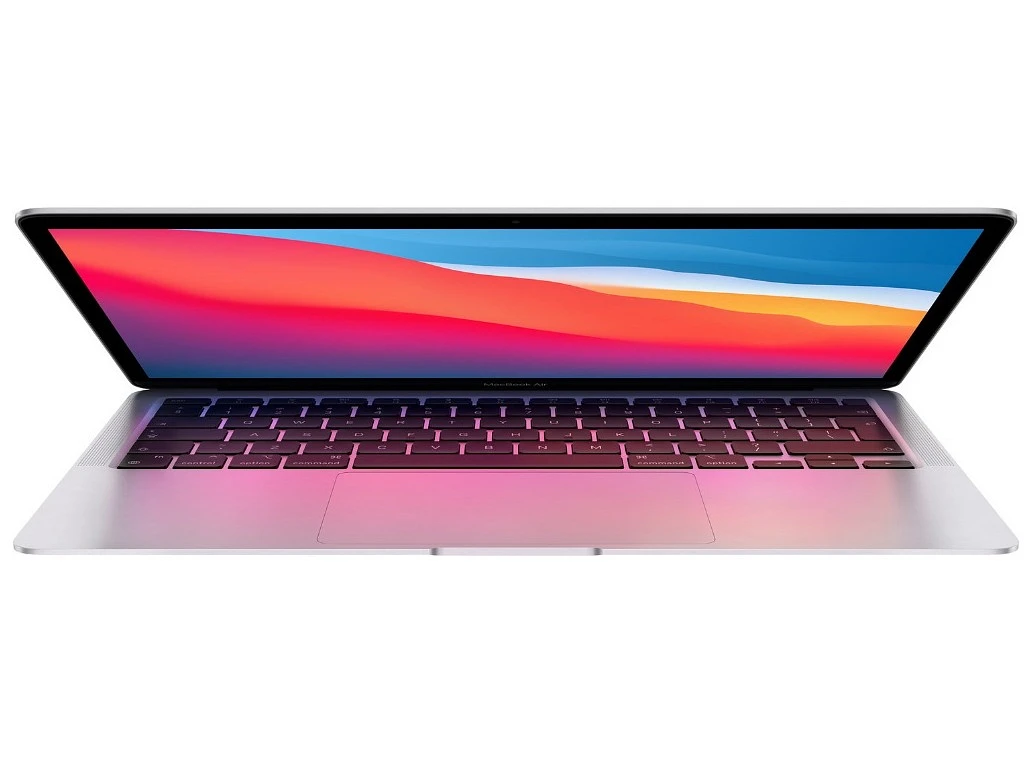
Price: $599-699 (watch for sales at retailers)
An affordable Mac actually exists for student budget laptop section. That 2020 M1 MacBook Air regularly drops below $700, making it surprisingly competitive. And it's genuinely excellent.
Technical specs:
- Processor: Apple M1 chip (8-core CPU)
- RAM: 8GB unified memory
- Storage: 256GB-512GB SSD (depending on deal)
- Display: 13.3-inch Retina (2560×1600)
- Battery: 15-18 hours (Apple's claim, but actually close to accurate)
- Weight: 2.8 pounds
That M1 chip changed everything. This isn't like old budget Macs that felt sluggish. It's fast. Scary fast for the price. Apps launch instantly. Multiple Chrome tabs don't slow it down. Even light video editing works smoothly.
What makes it special:
- Fanless design: Completely silent operation
- Battery life: Legitimately all-day, sometimes two-day usage
- Build quality: Aluminum unibody construction that survives backpack abuse
- Retina display: Text looks sharp, colors pop
- Trackpad: Industry-leading, gestures actually work
- Integration: Seamless with iPhone, iPad, AirPods if you're in Apple's ecosystem
At 2.8 pounds, it's the lightest option here. That matters when you're hauling it across campus multiple times daily.
macOS suits creative students particularly well. Video editing, music production, graphic design—it handles these better than you'd expect from a cheap laptop for college. Final Cut Pro and Logic Pro run smoothly on the M1.
Head-to-Head Comparison: How Our Top Picks Stack Up
Pick the Acer Aspire Go 15 if you:
- Need specific Windows programs
- Want the largest screen
- Have the tightest budget ($300-400 range)
- Need maximum software flexibility
Choose the Chromebook Plus 514 when you:
- Work primarily online
- Want touchscreen functionality
- Need massive storage for a Chromebook
- Value simplicity and speed over software variety
Go for the MacBook Air M1 if you:
- Already own iPhone/iPad/AirPods
- Do creative work (video, photo, music)
- Want the longest battery life
- Prefer premium build quality
- Can stretch budget to $600-700
No wrong choices here. Each excels in its category. Your major, workflow, and existing tech ecosystem determine the right fit.
FAQ
Is a Chromebook sufficient for college students?
A Chromebook works fine for most college students. Liberal arts, business, and social science majors should have no issues. Engineering students need something else.
Can I get a good gaming laptop under $500?
No. Gaming requires dedicated graphics cards that push prices above $800.
How much RAM do I really need for schoolwork?
8GB handles standard multitasking for most students.
Should I consider refurbished laptops to save money?
Manufacturer-certified programs are the only safe bet—think Apple or Dell’s official outlets. Skip random third-party sellers; it’s a gamble. Always verify the warranties match new-item coverage. For real value, check the battery cycle count and SSD wear—specs most gloss over.
What is the most important specification to prioritize?
SSD over HDD is the most noticeable change. Forget processor speed for a second—a SSD eliminates the mechanical lag of an HDD, making every click, boot, and load instant. That speed permeates everything you do. It’s not about specs on paper; it’s the felt experience, night and day.
How long should a budget laptop last a student?
Plan for 3-4 years minimum. MacBooks typically last longest due to extended software support.