








After burning through countless hours testing mechanical keyboards for developers this year, we found five boards that genuinely improved our workflow. Some prevented wrist pain. Others made shortcuts feel like second nature. One even survived a coffee spill (yes, we tested that accidentally).
TL;DR
Scanners, here's your cheat sheet:
- Best Overall (Typing + Gaming): Keychron Q3 HE 8K - Smooth, 8K polling, aluminum tank
- Best for Wrist Health (Ergo King): Kinesis Advantage360 - Split, contoured, QMK programmable
- Best Analog / Rapid Trigger: Wooting 80HE - Unbeatable latency, great for devs who game
- Best Ultra-Portable: NuPhy Air75 V3 - Low-profile, Mac-first, silent switches
- Best Durability (Desk Warrior): ROG Strix Scope II 96 - IP56 rated, RX optical switches
Why Programmers Need a Specific Keyboard (More Than Just "Feel")
Your average office worker types maybe 1,500 keystrokes per hour. Programmers? Try 3,000+ when you're in the zone. That's real fatigue.
Here's what matters:
- Shortcut complexity: Ctrl+Shift+Alt+something becomes muscle memory. NKRO (N-Key Rollover) isn't optional.
- RSI & Carpal Tunnel: 60% of devs report wrist issues within 5 years of full-time coding. This isn't a joke.
- Dual boot/Multi-OS: Jumping between Mac, Windows, and Linux means your keyboard needs to play nice with all three.
- Marathon sessions: Actuation force adds up. A switch that's 5g lighter saves your fingers after hour six.
How We Tested (Quick Methodology)
We didn't just type "hello world" and call it a day.
- 1 week minimum per keyboard in real IDE environments (VS Code, IntelliJ, Neovim)
- Mixed settings: Open office, home setup, coffee shop - tested wireless stability everywhere
- Switch consistency checks: Measured actuation force across all keys
- Real debugging sessions: No fluff reviews here
The 5 Best Keyboards for Programmers in 2026
1. Kinesis Advantage360 - The Gold Standard for RSI Prevention
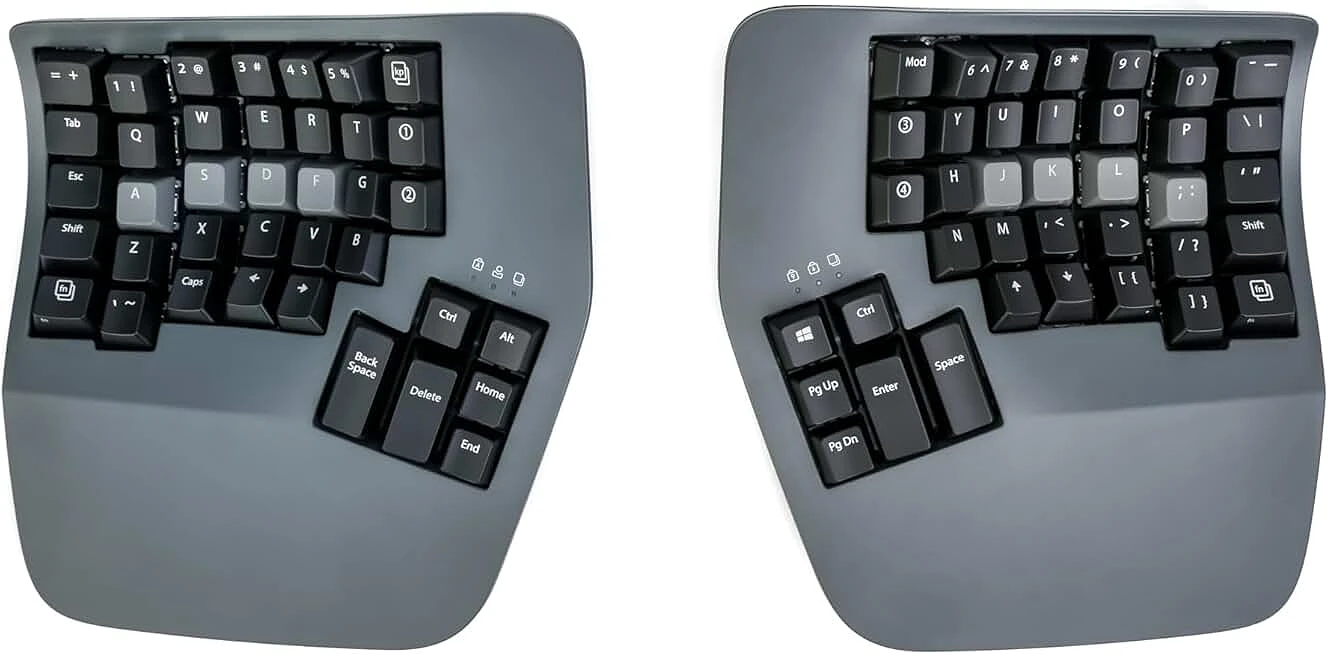
Why it wins for coders: Vertical key columns match your finger lengths. Thumb clusters handle modifiers. QMK/VIA programmability means you can remap anything.
Switches: Cherry MX Brown (tactile) or Silent Red
Real usage: Takes 2 weeks to adapt. Your brain fights the split layout at first. Then you hit flow state and never want a flat board again.
Best for: Full-time devs with wrist pain or anyone smart enough to prevent it
Price: High ($350+)
Minor drawback: It looks weird on video calls
2. Keychron Q3 HE 8K - The Smooth Operator (Best TKL Overall)
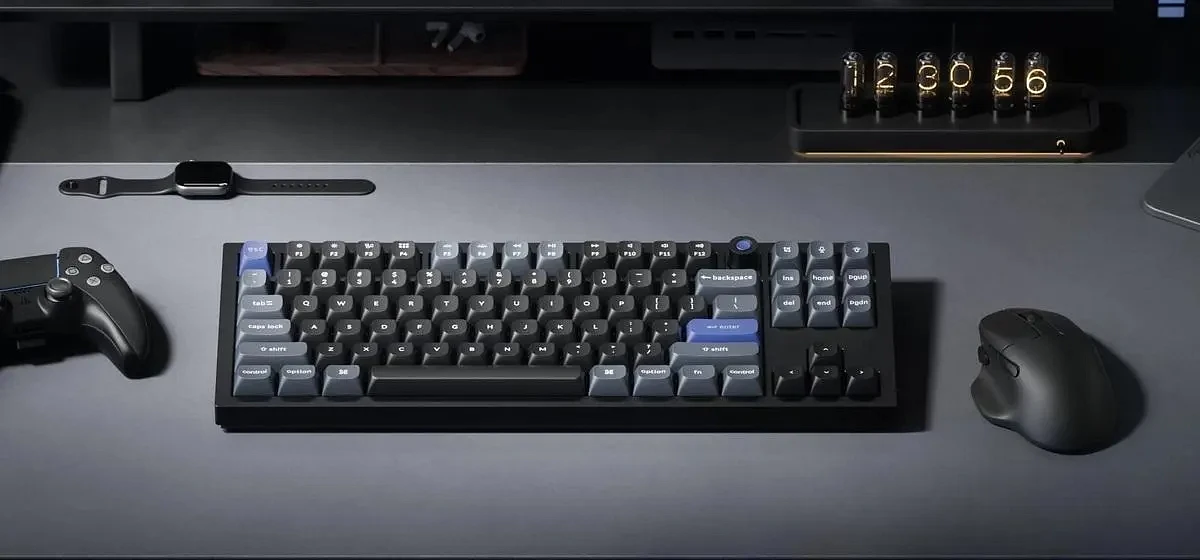
Why: 8K polling rate + TMR magnetic switches. Not just for gaming - the typing feel is transformative. Zero wobble, buttery smooth travel.
Build: 6063 aluminum chassis, gasket mount, weighs like a tank
Coding advantage: Zero missed keystrokes during rapid-fire shortcuts. Media control knob is chef's kiss.
Best for: Devs who want premium typing feel and occasional FPS sessions
Minor drawback: Wired only, and that cable is thicc
3. Wooting 80HE - The Analog King
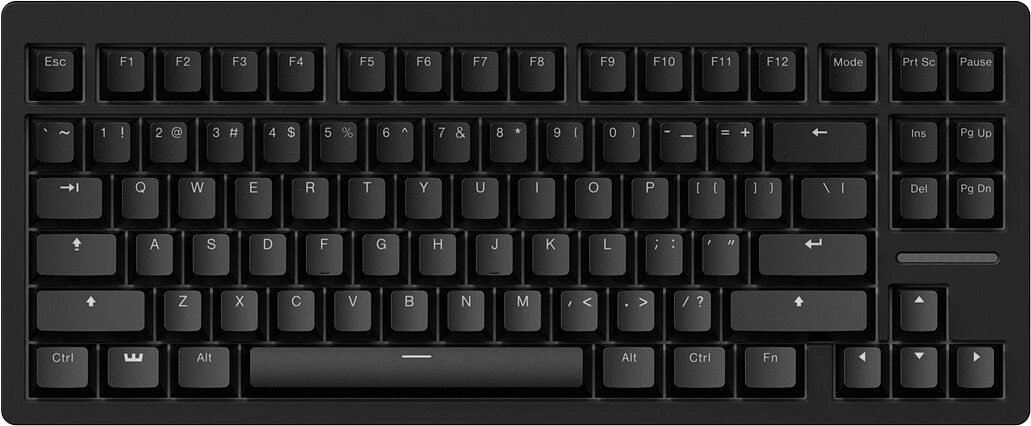
Why: Hall Effect switches with adjustable actuation (0.1mm - 4mm). Sounds gimmicky until you use it.
2026 update: Typing feel massively improved with gasket mount and factory-lubed switches
Coding advantage: Set high actuation to avoid accidental presses while coding. Drop it low for gaming after 5 PM.
Best for: Devs who play competitive games (Valorant/CS2) but code 9-5
Minor drawback: Wootility software has a learning curve
4. NuPhy Air75 V3 - The Traveler's Companion
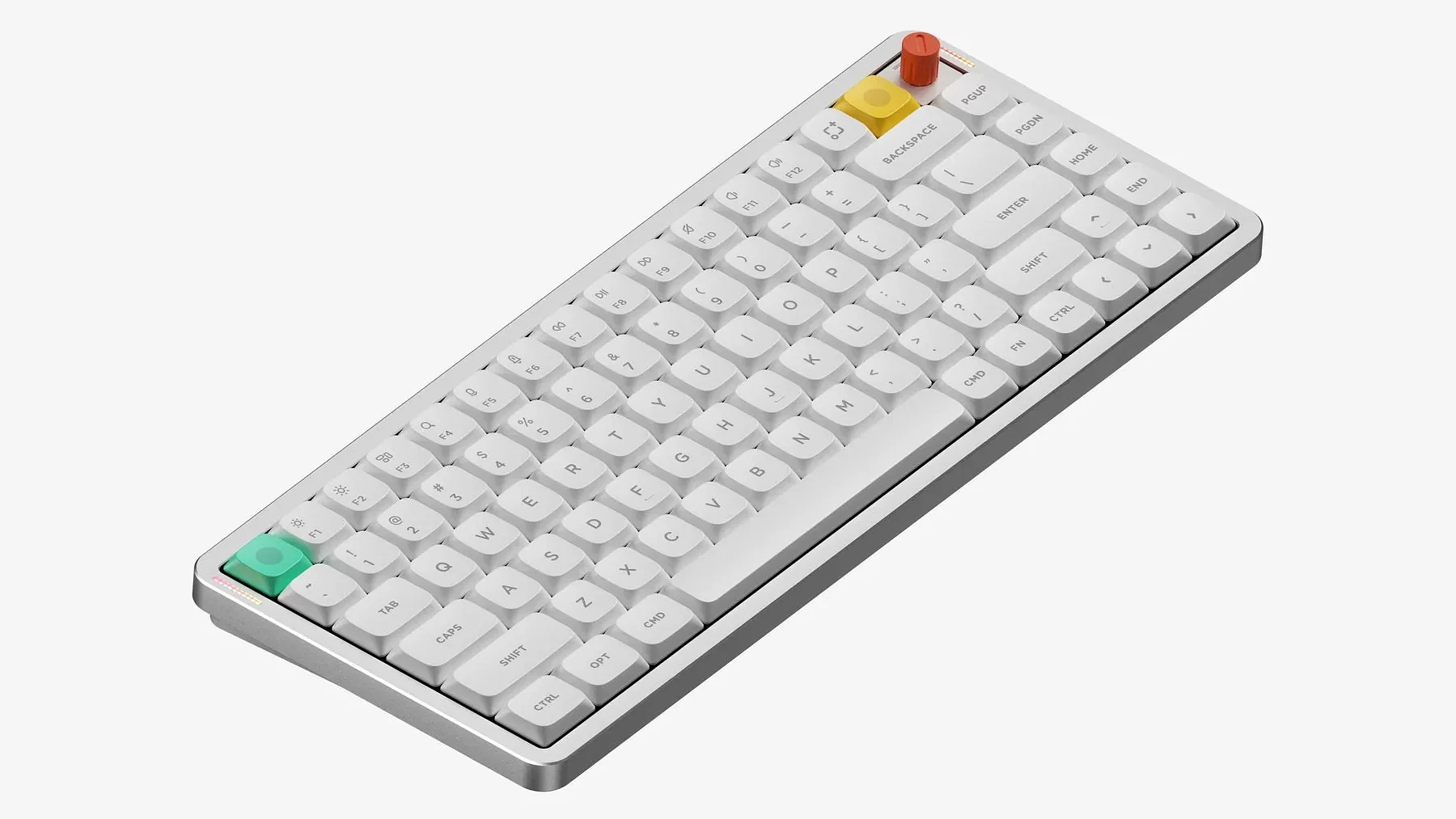
Why: Ultra-slim at 38mm height with full mechanical feel via Nano Switch 3.0. Your backpack will thank you.
Silent Pink Switch option: Silicone dampening makes this library-friendly
Mac-first layout: No re-mapping hell for MacBook users
Best for: Digital nomads, cafe coders, shared offices
Minor drawback: Battery life suffers if you leave RGB on full blast
5. ROG Strix Scope II 96 - The Indestructible Office Pick
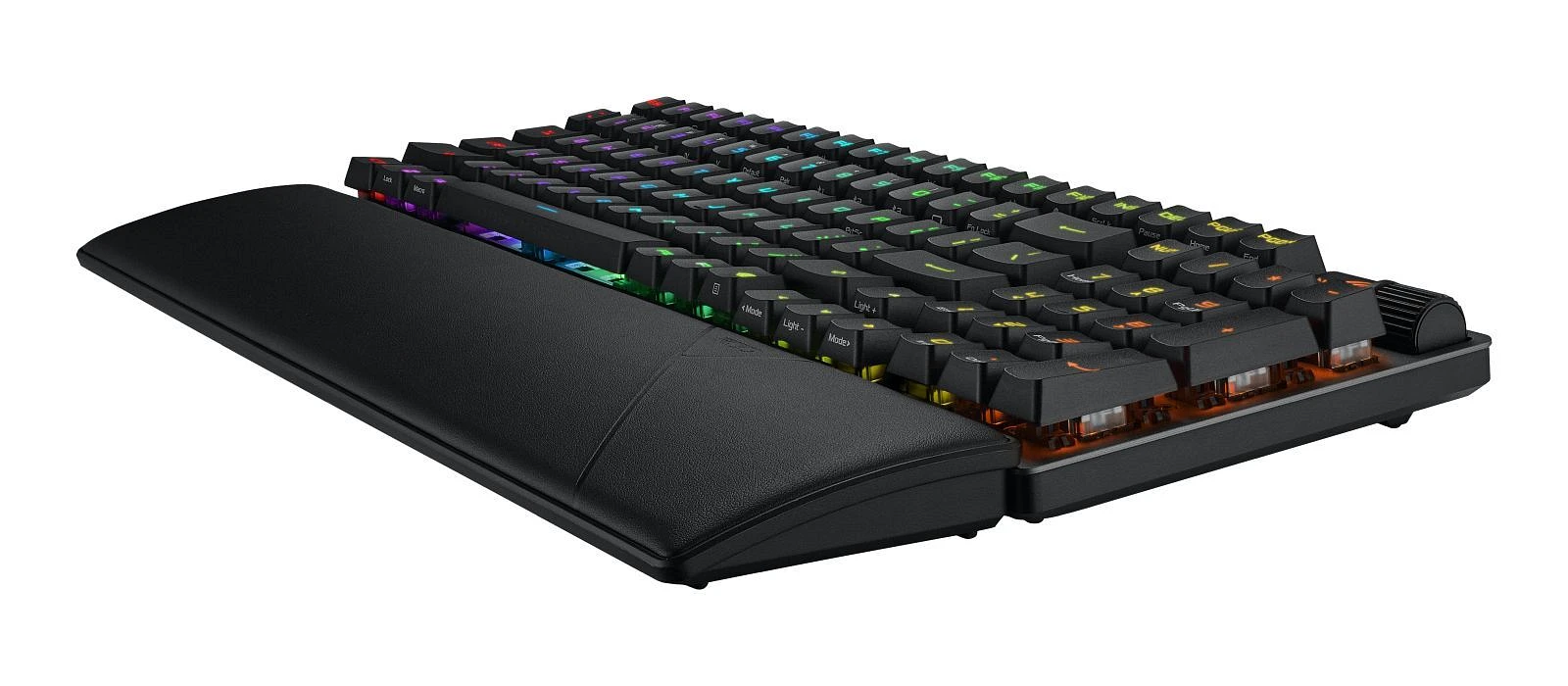
Why: IP56 dust and water resistance. RX optical switches have zero stem wobble and insane consistency.
Feel: Very stable typing; slightly louder bottom-out but extremely consistent across all keys
Coding advantage: Eat lunch at your desk? Spill prevention is real.
Best for: Reliability above all else
Minor drawback: Armoury Crate software can be bloated
Comparison Table (Quick Specs)
|
Model |
Switch Type |
Connectivity |
Programmability |
Best For |
|
Kinesis Advantage360 |
Cherry MX |
Wired |
QMK/VIA |
Ergonomics |
|
Keychron Q3 HE 8K |
TMR Magnetic |
Wired |
Web Launcher |
Premium feel |
|
Wooting 80HE |
Lekker Hall |
Wired |
Wootility |
Analog/Rapid Trigger |
|
NuPhy Air75 V3 |
Nano 3.0 |
Tri-mode |
NuPhy IO (web) |
Portability |
|
ROG Strix Scope II 96 |
RX Optical |
Wired/Wireless |
Armoury Crate |
Durability |
How to Choose the Right Keyboard for Your Coding Style
Full-size, TKL, or 75%?
Do you use the numpad for data work or finance scripts? Full-size. Pure dev work? TKL or 75% gives you more mouse space.
Linear vs Tactile for Coding?
Mythbusting time: It's not about noise. Tactile switches (Browns, Clears) give feedback without looking at the screen. Linear switches (Reds, Blacks) reduce fatigue if you bottom out hard. Try both before committing.
Is Wireless Safe for Work?
2026 latency is imperceptible even on budget Bluetooth. Tri-mode boards like the NuPhy handle 2.4GHz, Bluetooth, and wired seamlessly.
Should You Buy QMK/VIA Compatible?
Yes. Remapping Caps Lock to Esc or Ctrl is life-changing. Programming without it feels like coding with one hand tied.
FAQ
What switches are best for programming?
Tactile switches like Brown or Clear give subtle bump - senior folks often dig that. No racket. Meanwhile, linear switches (Red, Black, Silver) spare your fingers during long programming binges, especially if you hammer keys hard. Clicky Blues? Great feel, but don’t bring those to open offices unless you want enemies.
Are gaming keyboards good for coding?
Gaming keyboards for coding? Yes, but not without trade-offs. Their low latency and NKRO-gimmicks for some - do speed up multi-key shortcuts. But ergonomics are often an afterthought. A Wooting 80HE suits a developer who also games. Contrast that with a generic RGB board fitted with clicky Blue switches: loud, impractical, and ill-suited for typing all day.
How long does it take to adapt to an ergonomic split keyboard?
Expect a two-to-three-week window. Days one through three? Crawl speed. Typing might dip 30-40%. By day ten, roughly 80% of your original pace returns. Week three often brings parity or even gains, plus noticeably less hand fatigue and a seated posture that doesn’t suck.