









TL;DR
|
Category |
Keyboard |
Why It Wins |
|
Best Overall |
Keychron V3 Max |
Perfect balance of typing feel, wireless performance, and customization |
|
Best Wireless Gaming |
Asus ROG Strix Scope II 96 Wireless |
Insane 1,500-hour battery life with zero latency |
|
Best Feature-Packed Gaming |
Razer BlackWidow V4 Pro |
Eight macro keys, command dial, and RGB everything |
|
Best for Esports |
Sony Inzone KBD-H75 |
8,000Hz polling + Rapid Trigger for competitive edge |
|
Best Budget |
Keychron C3 Pro |
Sub-$50 programmable board that punches above its weight |
Top 5 Mechanical Keyboards in 2026
The mechanical keyboard scene is brutally competitive now. That old trade-off between cheap and capable? Dead. By 2026, hot-swappable switches and solid construction are basically standard, even on budget-friendly boards. The real question isn't about finding features - it's about spotting which models actually deliver where it counts.
We've spent months typing, gaming, and rage-testing these keyboards to bring you five picks that excel in different categories.
What Makes a Great Mechanical Keyboard in 2026?
The baseline has shifted dramatically. Features that were "premium" two years ago are now expected even on mid-range boards.
Switch Types Matter More Than Ever
Three main camps exist:
- Linear - Smooth, no bump. Gamers love them.
- Tactile - Bump on actuation. Great for typing.
- Clicky - Bump plus audible click. Your coworkers will hate you.
The trend? Pre-lubed switches that feel buttery smooth right out of the box. No more factory scratchiness.
Layout & Size: Smaller Is Winning
Full-size keyboards are becoming dinosaurs. TKL (tenkeyless) and 75% layouts dominate because:
- More desk space for your mouse
- Better ergonomics (mouse stays closer)
- Still keeps essential keys
Non-Negotiable Features in 2026
These aren't "nice to have" anymore:
- Hot-swappable PCB - Swap switches without soldering
- PBT keycaps - Won't turn shiny after months of use
- Tri-mode connectivity - Wired, 2.4GHz, and Bluetooth options
Gaming-Specific Tech
Hall Effect switches and Rapid Trigger functions are the new frontier. They let you adjust actuation points on the fly, which sounds gimmicky until you try it in-game.
Keychron V3 Max
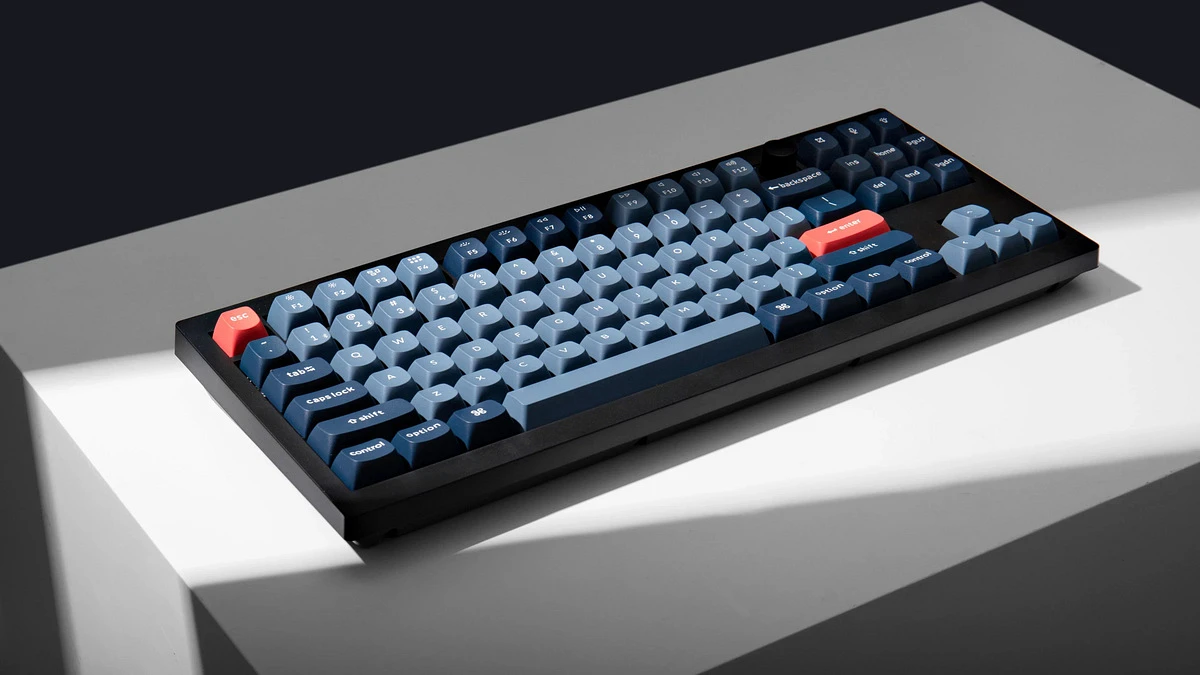
This is the best mechanical keyboard 2026 for most people. Period.
Why It's Our Top Pick
The V3 Max nails everything without costing kidney-donation money. It's the best keyboard for programming thanks to full VIA/QMK support, but gamers won't feel shortchanged either.
Key Specs:
- Layout: Tenkeyless (TKL)
- Switches: Hot-swappable, ships with pre-lubed options
- Features: Tri-mode wireless, per-key RGB, multi-function knob, PBT keycaps
- Build: Metal/plastic hybrid that feels premium
What We Loved:
- Typing feel is chef's kiss - smooth stabilizers, zero rattle
- Wireless performance rivals wired boards
- VIA software makes programming a breeze
- That knob? Surprisingly useful for volume control
Minor Gripes:
- Weighs more than some laptops
- Aesthetic is "clean" not "gamer RGB explosion"
Best For: Programmers, hybrid work/gaming setups, keyboard enthusiasts who want one board that does everything.
Asus ROG Strix Scope II 96 Wireless
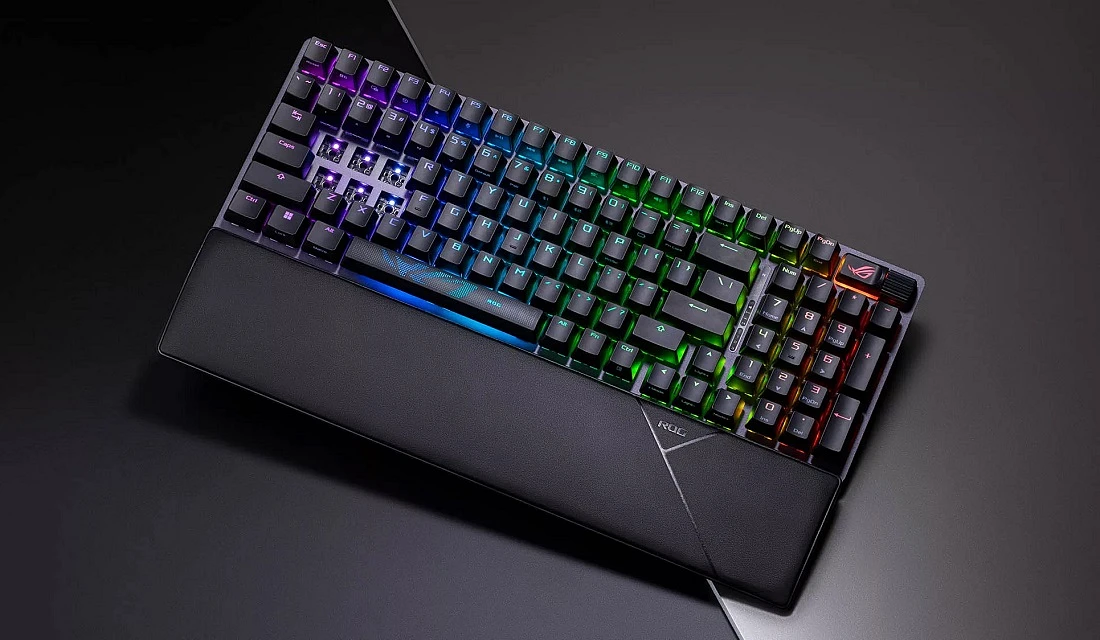
Gamers demanded wireless without compromise. Asus delivered.
The Wireless King
1,500 hours of battery life on 2.4GHz mode (lights off). That's not a typo. This wireless mechanical keyboard lasts literal months between charges.
Specs That Matter:
- Layout: 96% (compact full-size with numpad)
- Switches: Hot-swappable ROG NX Snow (linear) or Storm (tactile)
- Build: Aluminum top plate, double-shot PBT keycaps
- Weight: 2.23 lbs of solid construction
Gaming Performance:
Zero latency issues. We tested it in competitive shooters and couldn't tell the difference from wired. The 96% layout saves desk space while keeping that numpad for MMO binds.
Downsides:
- 96% layout takes getting used to (keys are tightly packed)
- Armoury Crate software isn't everyone's favorite
Best For: Serious gamers who want wireless freedom without performance sacrifices and still need a numpad.
Razer BlackWidow V4 Pro
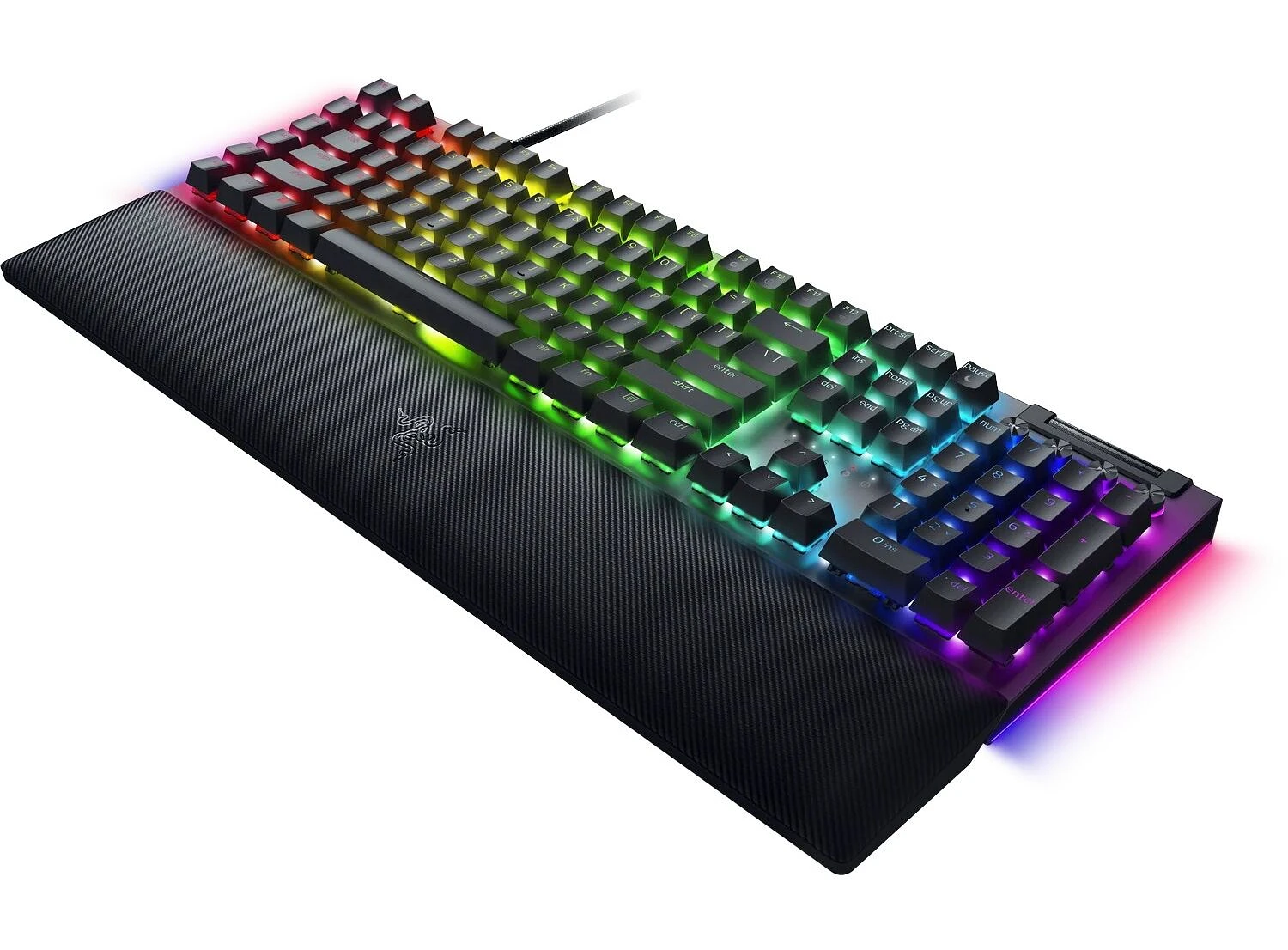
This is the best keyboard for gaming 2026 if you want every possible feature crammed into one board.
The Command Center Approach
Eight dedicated macro keys. A programmable dial. RGB underglow. A magnetic RGB wrist rest. This thing is a control panel disguised as a keyboard.
Full Breakdown:
- Layout: Full-size with macro column
- Switches: Razer Green (clicky) or Yellow (linear) - not hot-swappable
- Polling Rate: 8,000Hz for absurdly fast response times
- Extras: Command dial, underglow lighting, plush wrist rest
Why Gamers Go Crazy for It:
Those macro keys aren't decoration. Streamers can control OBS without alt-tabbing. MMO players can bind entire rotations. The command dial handles volume, lighting, or custom functions.
The Catch:
- Expensive as hell
- Takes up serious desk real estate
- ABS keycaps will show wear over time
- Needs Synapse software for full functionality
Best For: Streamers, macro-heavy gamers, and anyone who wants their keyboard to feel like a spaceship control panel.
Sony Inzone KBD-H75
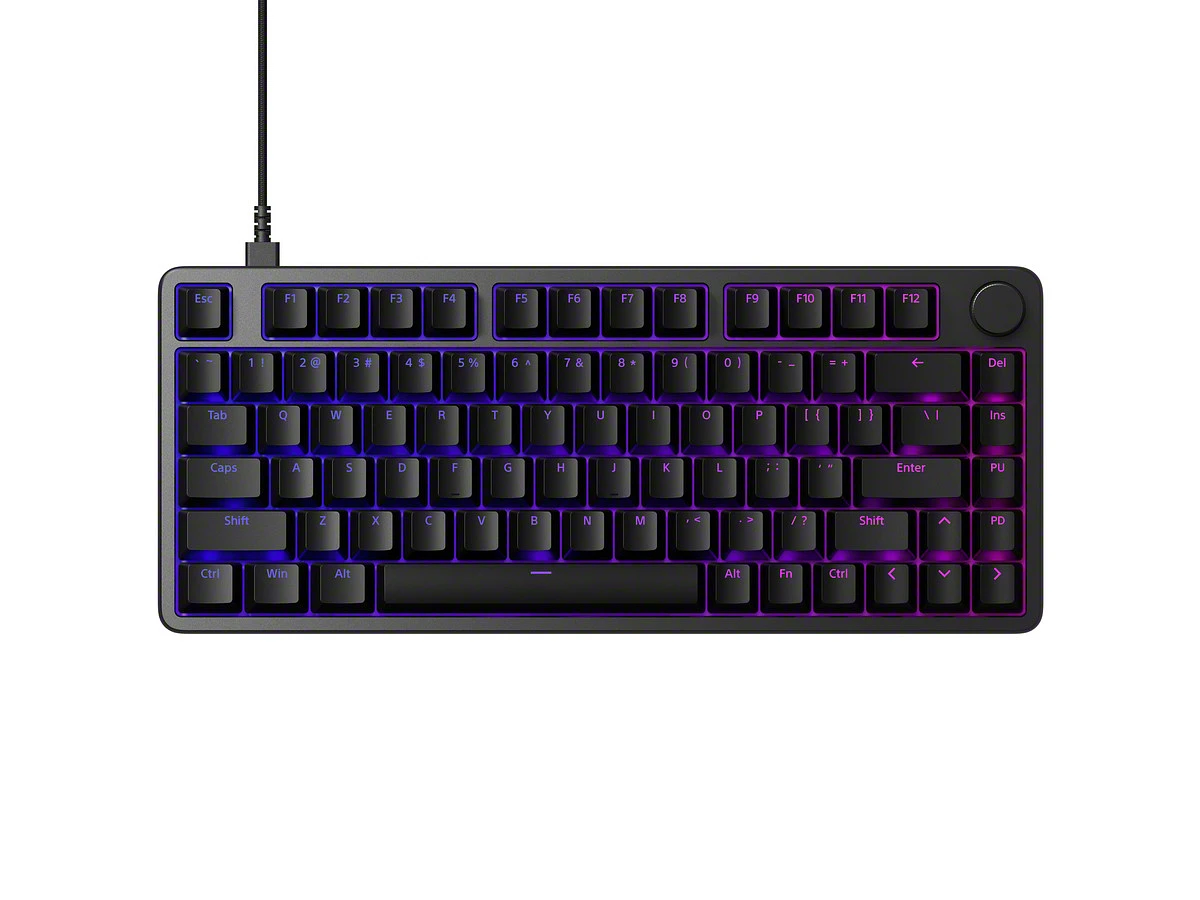
Sony built this for one purpose: winning.
Pure Performance Focus
This quiet mechanical keyboard uses magnetic switches similar to Hall Effect technology. The result? Consistent actuation every single press, with adjustable sensitivity.
Competition-Grade Specs:
- Layout: 75% (compact but keeps function row)
- Polling Rate: 8,000Hz
- Unique Feature: Rapid Trigger - adjust actuation and release points independently
- Build: Minimalist, rock-solid construction
Why Pros Care:
Rapid Trigger lets you spam keys faster than traditional mechanical switches allow. In competitive games where milliseconds matter, it's a genuine advantage.
The Reality Check:
- Premium price for a focused feature set
- Not many customization options beyond performance
- 75% layout isn't for everyone
Best For: Competitive esports players and aspiring pros who prioritize speed and precision above everything else.
Keychron C3 Pro
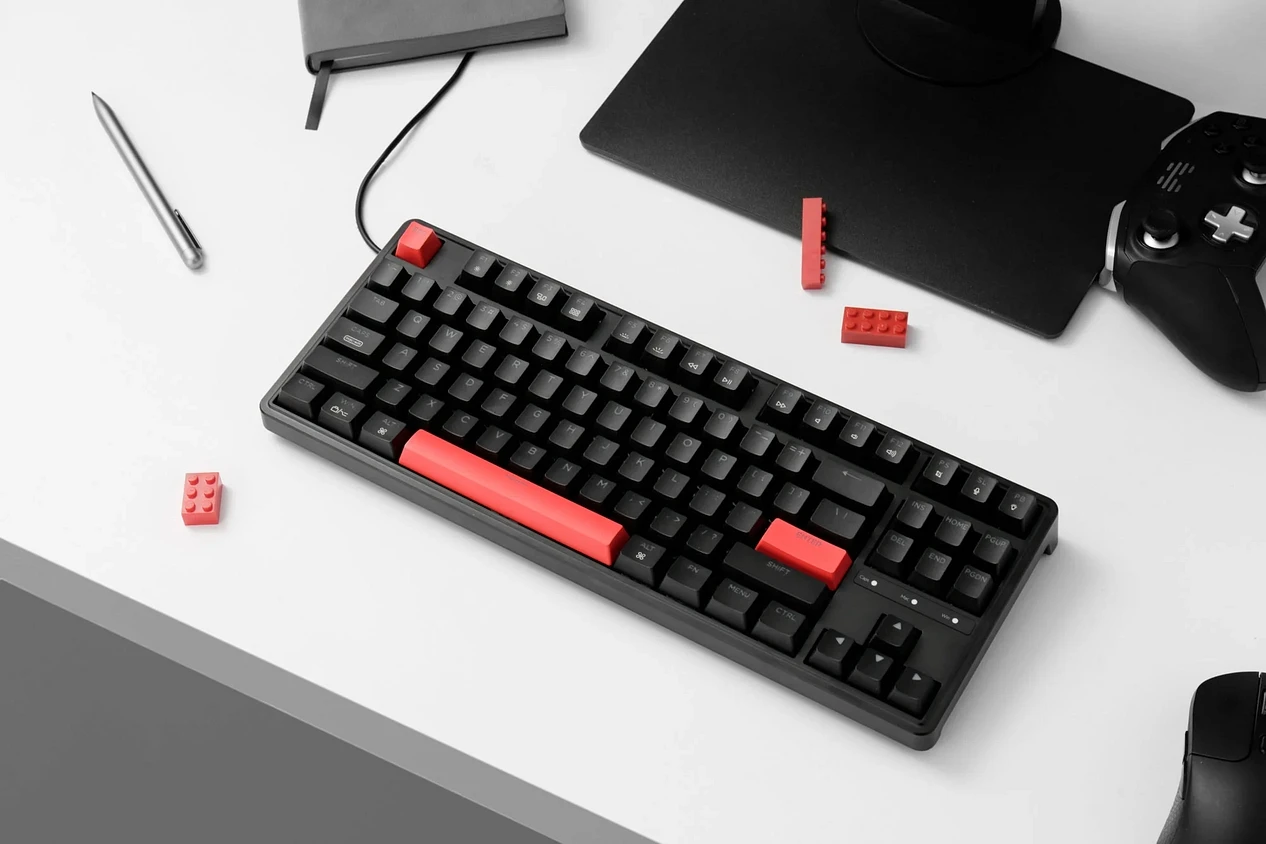
Under $50. Hot-swappable. Programmable. How?
The Budget Destroyer
The C3 Pro proves you don't need $200 to get a solid mechanical experience. This board shames keyboards twice its price.
Budget King Features:
- Layout: 60% or 65% options
- Switches: Hot-swappable Keychron Reds or Browns
- Software: Full VIA programmability
- Build: Solid plastic with smooth stabilizers
What You Get:
Legitimate typing experience with quality switches. The ability to swap switches later. Custom key mapping. All for less than a decent dinner out.
What You Don't Get:
- Wireless connectivity (wired only)
- Premium PBT keycaps (ships with ABS)
- Fancy RGB (basic red backlighting)
Best For: First-time mechanical keyboard buyers, students, or anyone who refuses to overpay for quality typing.
Final Recommendations
Still unsure? Here's the quick decision tree:
Choose Keychron V3 Max if:
- You want one board for everything (work, gaming, browsing)
- Wireless freedom matters
- You value customization and future-proofing
Choose Asus ROG Strix Scope II 96 Wireless if:
- Gaming is priority #1
- You need a numpad but hate full-size boards
- Battery life anxiety is real
Choose Razer BlackWidow V4 Pro if:
- You stream or use complex macros regularly
- Desk space isn't an issue
- You want maximum features and don't mind the premium price
Choose Sony Inzone KBD-H75 if:
- You play competitively
- Every millisecond counts
- You prefer function over flash
Choose Keychron C3 Pro if:
- Budget is tight but quality isn't negotiable
- You're new to mechanical keyboards
- Wired connectivity works fine for you
FAQ
What is the most important feature in a mechanical keyboard for 2026?
Hot-swappable PCBs are the most future-proof feature you can get. Your taste in switches will change. Being able to swap them without soldering or buying a new keyboard saves money and extends your board's lifespan indefinitely.
Are wireless mechanical keyboards good for gaming now?
Absolutely. Modern 2.4GHz wireless tech has eliminated latency issues. Boards like the Asus ROG Strix Scope II 96 perform identically to wired keyboards in competitive scenarios. Battery life has also improved to the point where you're charging monthly, not daily.
I'm a programmer. Which keyboard layout is best?
Most programmers prefer 75% or TKL layouts. The 75% keeps function keys and arrows while saving desk space, which improves ergonomics by keeping your mouse closer. The Keychron V3 Max (TKL) offers the best keyboard for programming experience with full VIA support for custom key mapping.
What's the difference between linear and tactile switches?
The core distinction lies in the actuation feedback. Linear switches offer consistent resistance during the keypress - completely smooth from top to bottom. That uniform motion allows for rapid, double-tapping actions, which is why they’re a hit with gamers. They also tend to be quieter.
Tactile switches, in contrast, are defined by their bump - a slight resistance right at the actuation point. You feel the exact moment the key registers. This physical confirmation can boost typing accuracy; your fingers get a clear signal, reducing bottom-out force and errors. The trade-off is usually a more pronounced sound compared to linears. For some typists, that bump prevents mistakes - for others, it can throw off rhythm.
Are PBT keycaps good?
If you plan to use your keyboard for more than a year, yes. ABS keycaps develop a shiny, greasy appearance after months of use. PBT stays textured and new-looking far longer. It's one of those upgrades you don't appreciate until you've experienced cheap ABS wearing out.